


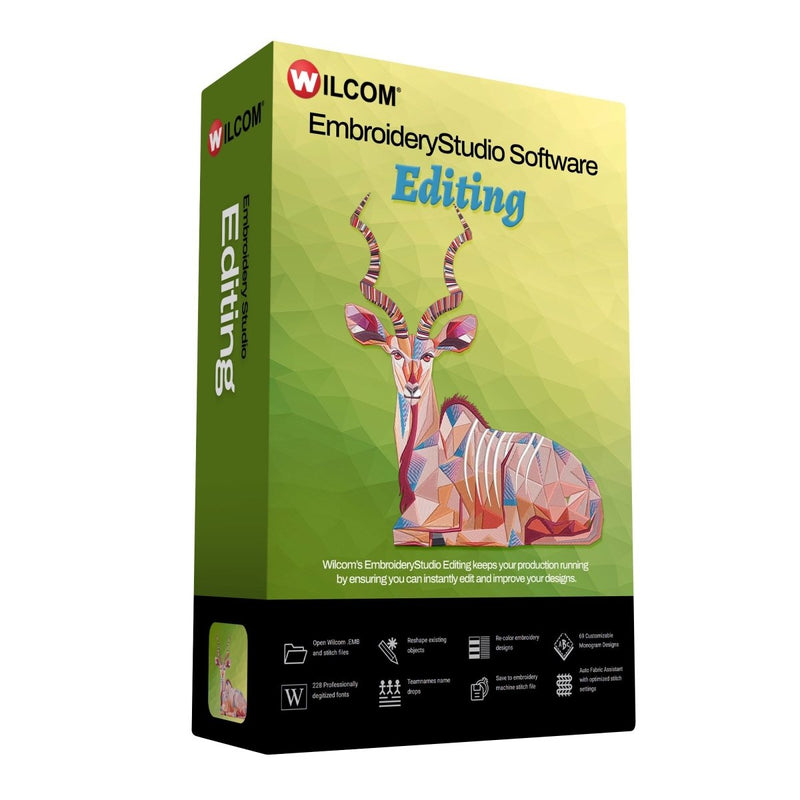




Wilcom EmbroideryStudio Editing Software 2026 Full License
$1,299.00$1,999.00
$1,299.00
Add-ons


BAi MIRROR 15 Needle Commercial Embroidery Machine with Deluxe Bundle
$7,899.00$6,400.00

BAi MIRROR 15 Needle Commercial Embroidery Machine with Mighty Hoop Bundle
$8,134.99$6,400.00

BAi VISION 15 Needle Commercial Embroidery Machine with Deluxe Bundle
$10,299.99$8,600.00

BAi VISION 15 Needle Embroidery Machine Bundle with Hotronix Cap Press & Hoops
$11,894.00$9,999.00

BAi VISION Two Head 15 Needle Commercial Embroidery Machine Deluxe Bundle
$13,238.99$11,000.00


Wilcom EmbroideryStudio Editing 2026 Full License – Professional Embroidery Editing & Lettering Software You Own Forever
Take complete control of your embroidery production with the Wilcom EmbroideryStudio Editing 2026 Full License (perpetual/one-time purchase). This powerful embroidery editing software is specifically designed for embroidery shops, teamwear and uniform specialists, production houses, and professionals who need fast, precise editing, superior lettering, and reliable personalization without the full digitizing tools of higher editions.
Pay once and enjoy lifetime access to the complete 2026 Editing edition. Open, reshape, and optimize any embroidery design — including .EMB files and stitch files from other software — while benefiting from professional-quality lettering that looks hand-digitized by experts.
Key Features of Wilcom EmbroideryStudio Editing 2026
- Powerful Editing Tools: Reshape any object or stitch file by adjusting nodes and stitch angles. Re-color designs instantly, manage objects and colors with drag-and-drop via the Color Object List, and use one-click functions for maximum efficiency.
- 2026 Precision Enhancements: Improved Snap to Object for cleaner outlines, new Major and Minor Grid (including micro-grid) for accurate alignment, and Separate Pull Compensation to control each side independently for better edge definition across different fabrics.
- Professional Lettering & Personalization: Access 228 professionally digitized embroidery fonts with automatic expert resequencing. Enjoy perfect kerning (automatic and manual), 9 versatile baselines (including Arc, Any Shape, and Free Line), over 20 pre-designed lettering art layouts, and the Enveloping tool for custom shapes. Includes 69 customizable monogram designs.
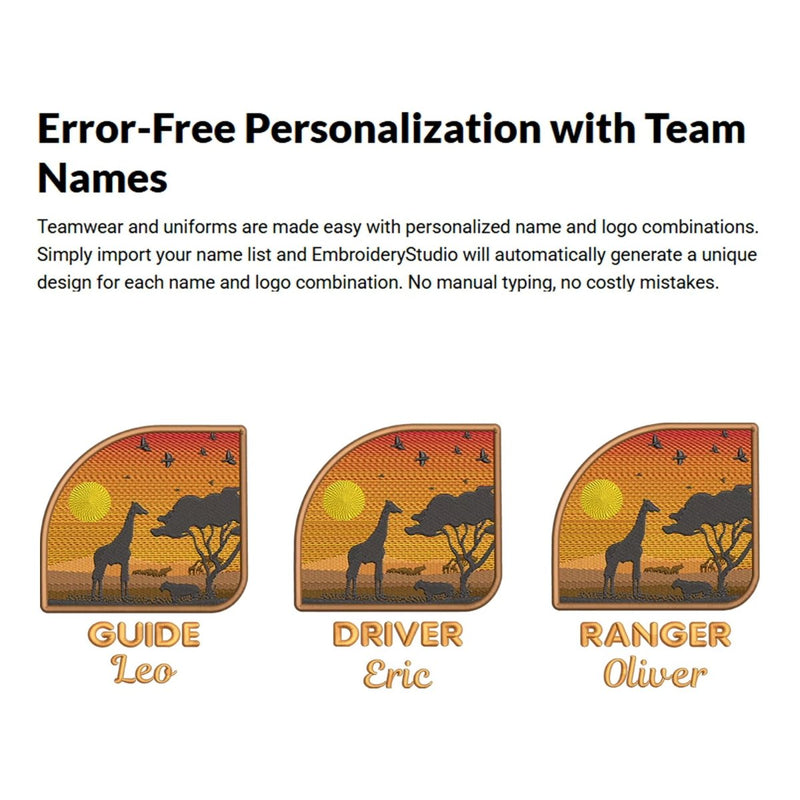
- Team Names & Name Drops: Error-free personalization for teamwear and uniforms. Import name lists and automatically generate unique designs for each name and logo combination — saving time and eliminating costly mistakes.
- Production & Output Tools: Auto Fabric Assistant for optimized stitch settings, realistic Stitch Player simulation, Product Visualizer for logo placement and garment color previews, and customizable production worksheets. Streamlined one-step Export and Print Profiles with a new Export Docker to track progress. Export to over 60 stitch file formats for compatibility with all major embroidery machines (Tajima, Barudan, SWF, and more).
- Viewing & Workflow Efficiency: Enhanced onscreen machine functions and easy object management to keep your production running smoothly.

Why Choose the Full License (Perpetual) Version?
The Wilcom EmbroideryStudio Editing 2026 Full License delivers permanent ownership of this focused professional edition without ongoing subscription costs. It's the ideal choice for businesses that prioritize high-quality editing, lettering, monogramming, and team personalization while maintaining full control over their software investment.
While the Decorating and Designing editions add broader digitizing and multi-decoration capabilities, the Editing edition excels in reshaping existing designs, professional lettering, and efficient production workflows — making it perfect for shops that receive customer files or focus on customization and teamwear.
Perfect for:
- Embroidery production and teamwear/uniform decoration
- Personalization and monogramming services
- Apparel decorators handling name drops and lettering
- Shops needing fast editing and output for all major machines
Own the industry standard in embroidery editing and lettering. With Wilcom EmbroideryStudio Editing 2026 Full License, you get precision tools, beautiful professional lettering, and streamlined production that help you deliver high-quality results faster and with fewer errors.
Compatible with Windows and all major embroidery machine formats.
Ready to elevate your embroidery editing workflow? Purchase your Wilcom EmbroideryStudio Editing 2026 Full License today and experience professional performance that lasts.
Want to try the software for 14 days first?
Experience the full power of professional embroidery editing and lettering with the 14-Day FREE Trial Trial of Wilcom EmbroideryStudio Editing 2026. No credit card required and no obligation — simply download and test every feature of the Editing edition, including powerful reshape tools, 228 professionally digitized embroidery fonts with expert resequencing, advanced Name Drop for fast team uniforms and personalization, 69 customizable monograms, improved Snap to Object, Separate Pull Compensation, realistic Stitch Player simulation, and seamless compatibility with all major embroidery machines. Whether you're an embroidery shop owner, teamwear specialist, or apparel decorator focused on high-volume personalization, this fully functional trial lets you open, edit, and produce real designs exactly as you would with the Full License, so you can experience firsthand the speed, precision, and professional results that make Wilcom EmbroideryStudio the trusted choice for efficient embroidery production.

Professional Commercial Embroidery Software
EmbroideryStudio 2026 is industry-leading embroidery digitizing software designed for commercial embroidery businesses, professional digitizers, and production-focused shops. With four levels available, you can choose the right solution to match your workflow, experience level, and business goals.

Snap to Object
Improved snapping controls automatically align input points to edges, nodes, and objects, helping you create cleaner outlines and digitize designs faster with greater precision.

Multi Blend
Add depth, shading, and smooth gradients with layered stitch blends. Adjust colors, preview changes instantly, and choose from presets or build your own custom blends.

Continue Digitizing
Keep digitizing a closed object without restarting. Avoid overlaps, reduce cleanup, and maintain a clean Color Object List.

Custom Accordion Spacing
Create wave-like density shifts within a single accordion object for dynamic texture and visual flow.

Redwork
Convert outlines into continuous Redwork with Single, Triple, Backstitch, or Stemstitch runs, all optimized for smooth pathing.

Wilcom Answers
Answers is your built-in assistant, powered by AI, but sourced entirely from official Wilcom documentation. Verified content is extracted from product guides, knowledge libraries, and user resources, then delivered as step-by-step help with source links included.

Major and Minor Grid
Create with greater accuracy using both major and minor grid divisions. The standard 10mm grid remains, while the new micro-grid lets you refine spacing, alignment, and detail with precision.

Separate Pull Compensation
Control pull compensation independently on each side of an object, enabling cleaner outlines, sharper edge definition, and more accurate results across different fabrics.

Streamlined Export
Export designs and worksheets together in one step, saving time and streamlining job output.
Compatible with all major embroidery machine brands including Brother, Bernette, Poolin & BAi.
Join hundreds of thousands of users who choose Wilcom.

Choose from a suite of powerful embroidery digitizing tools designed to meet any challenge. Effortlessly create on-screen shapes, fill them with stitches, sequins, and beads, or blend embroidery with graphics to craft stunning, multi-decoration designs.

EmbroideryStudio 2026 Designing

Professional embroidery digitizing and multi-decoration software designed for expert digitizers, commercial embroidery shops, industry trainers, educators, and apparel decorators who require full creative control. Includes CorelDRAW® Graphics Suite 2025, fully integrated for advanced vector editing and a seamless embroidery design workflow.
EmbroideryStudio 2026 Decorating
The power of Auto-digitizing and CorelDRAW, backed by easy-to-use digitizing tools. Includes CorelDRAW® Graphics Suite 2025, fully integrated for advanced vector editing and a seamless embroidery design workflow.

EmbroideryStudio 2026 Editing

Power of editing and lettering. Wilcom's EmbroideryStudio Editing keeps your production running by ensuring you can instantly edit and improve your designs.
EmbroideryStudio Lettering 2026
World-class quality in every letter, name, and monogram—no digitizer required. Quickly and effortlessly create professional, high-quality lettering with powerful tools.

EmbroideryStudio 2026
COMPARISON TABLE

| ★ BEST VALUE | ||||
|
✓ Included as standard
Cost option
+ Add-on Element
— Not available for this product
|
|
|
|
|
|---|---|---|---|---|
| Outline stitch types | — | — | 6 | 13 |
| Fill stitch types | — | — | 6 | 19 |
| Stitch Effects | — | — | 9 | 18 |
| Manual Digitizing Tools | — | — | 6 | 19 |
| Open and Export embroidery files | ✓ | ✓ | ✓ | ✓ |
| Create Lettering and monograms | ✓ | ✓ | ✓ | ✓ |
| Recolor and assign thread charts | ✓ | ✓ | ✓ | ✓ |
| Adjust stitch settings | ✓ | ✓ | ✓ | ✓ |
| Team Name name drop | ✓ | ✓ | ✓ | ✓ |
| HoopMaster Mighty Hoops support | ✓ | ✓ | ✓ | ✓ |
| Laydown Stitch | ✓ | ✓ | ✓ | ✓ |
| Edit and Reshape designs | — | ✓ | ✓ | ✓ |
| Create applique | — | — | ✓ | ✓ |
| Auto digitize designs | — | — | ✓ | ✓ |
| Offset and borders | — | — | ✓ | ✓ |
| Embroidery clipart browser | — | — | ✓ | ✓ |
| Rounded Corners | — | — | ✓ | ✓ |
| NEW Multi Blend | — | — | — | ✓ |
| NEW Custom Accordion Spacing | — | — | — | ✓ |
| NEW Redwork | — | — | — | ✓ |
| NEW Continue Digitizing | — | — | ✓ | ✓ |
| NEW Automatic Buttonholes | — | — | ✓ | ✓ |
| NEW Snap to Objects | — | ✓ | ✓ | ✓ |
| NEW Major and Minor Grids | ✓ | ✓ | ✓ | ✓ |
| NEW Separate Pull Compensation | ✓ | ✓ | ✓ | ✓ |
| NEW Streamlined Export | ✓ | ✓ | ✓ | ✓ |
| NEW Answers (AI-powered help in the software) | ✓ | ✓ | ✓ | ✓ |
| NEW CorelDRAW® Graphics Suite 2025 | — | — | ✓ | ✓ |
| NEW Wilcom Academy | ✓ | ✓ | ✓ | ✓ |
| ENHANCED 248 Professionally digitized embroidery fonts | ✓ | ✓ | ✓ | ✓ |
| Hand Stitch Effect | ✓ | |||
| Team Names Advanced | ||||
| Reef PhotoStitch | ✓ | |||
| Photo Flash | ✓ | |||
| Photo Flash | ✓ | |||
| Color Photo Stitch | ✓ | |||
| Offset Advanced | ✓ | |||
| Single Sequins | ||||
| Mirror Merge | ✓ | |||
| Styles | ✓ | |||
| Branching and automatic sequencing | ✓ | |||
| Shaping tools | ✓ | |||
| Jagged Edge effect | ✓ | |||
| Color Blending | ✓ | |||
| Accordion Spacing | ✓ | |||
| Stipple Stitch / Cross Stitch | ✓ | |||
| Florentine Effects | ✓ | |||
| Liquid Effects | ✓ | |||
| Contour Stitch Effects | ✓ | |||
| Spiral Fill | ✓ | |||
| Keyboard Design Collection | ✓ | |||
| Custom Splits | ||||
| Custom Split Stitch Effects | ||||
| User Defined Split Stitch | ||||
| Carving Stamp | ||||
| Motifs | ||||
| Motif Fills, Runs, Singles | ||||
| 3D Warp | ||||
| Motifs Advanced | ||||
| Flexi Split | ||||
| Gradient Motifs | ||||
| Motif Column | ||||
| String Stitch | ||||
| Maze Fill | ||||
| Alphabet Creator | ||||
| Sequins Advanced | ||||
| Beading | ||||
| Chenille | ||||
| Schiffli |

Wilcom lettering just got better!
Every product level now delivers professional-quality embroidered lettering with automatic expert resequencing, precisely managing overlaps and key stitches so they are neatly tucked beneath embroidery strokes for a clean, expertly digitized finish. Create high-quality custom lettering with over 228 professionally digitized embroidery fonts or easily convert any TrueType font to embroidery, then personalize designs with advanced controls for baselines, spacing, kerning, justification, Lettering Art options, and unique enveloping shapes.
Export Files as You Keep Working
Keep your workflow uninterrupted! Export machine stitch files in the background while you continue digitizing. With the new Export Docker, you can easily track your export progress and history.


Reporting Capabilities
Built-in reporting provides flexible reporting options for both customers and teams, including Approval Forms, Production Worksheets, Summaries, and Color Films. Worksheets feature barcodes, and reports can be easily customized to include the exact details needed.
Save Time with Auto-Digitizing!
The enhanced feature replicates bitmap designs with automatic object sequencing and color reduction options. Auto-digitize entire designs or specific sections, which can be combined with traditional digitizing for greater efficiency.


Name Drop with Ease
Easily import and manage your list of names directly within the logo embroidery file, then save it as a reusable template*. Use the Matrix feature to automatically generate and sequence designs for optimal production, all within one ready-to-use file. This feature is perfect for sports teams and uniform orders.
*Template-saving capabilities are included in Team Names Advanced and are available with the DESIGNING subscription.
Master your production-based digitizing

Single Click Functions
Instantly remove overlaps, fill holes, center all, and access many other time-saving tools with just one click!

Reduce Costly Trims and Jumps
Branching will automatically sequence your selected objects and create travel runs for you to eliminate unnecessary and costly trims.

Powerful Transformation and Shaping Tools
With a single click, you can weld, flatten, and remove excessive overlaps in your embroidery using Shaping Tools.

Outlines and Offsets
Easily create precise outlines and multiple offset borders with independent stitch types, sizes, and thread colors for any design.

Stitch Angles
Easily edit and control stitch angles. Even draw stitch angles directly onto vector art for instant embroidery.

Full Control of Stitch Properties
Dock your tools anywhere for quick access to stitch angles, density, underlay, and pull compensation, ensuring optimal results.

Travel Tools and Sequence Tools
Travel through your embroidery design by Object, Segment, Color, Function, Trim or Stitch-By-Stitch. Use the Sequence tool to quickly add, cut, copy, paste and branch objects in the color-object list.

Mirror Merge
Quickly duplicate objects in circular patterns or rows—perfect for creating precise badges. Specify rows and columns for efficient color resequencing.

Easily Add Smooth, Rounded Corners
Easily control the curve of each rectangle corner, adjusting one or all four corners independently. Perfect for creating badges.
Create a Smooth Base for Perfect Embroidery
Laydown Stitch creates an open-stitch background to control fabric nap, making it ideal for high-nap fabrics like Terry toweling, knits, and microfiber fleece—no solvy needed. The flexible fill stitch can be applied to any embroidery object, opening up creative possibilities.


Explore the Potential of Printable Embroidery
Easily digitize with creative stitch types like Color PhotoStitch to add rich texture to your designs. Export high-resolution PNG files ready for direct-to-garment printing. Effortlessly adding an alternative revenue stream!

Custom Splits
Create dimension and definition by strategically placing stitch penetrations.
Included with the DESIGNING Subscription

Accordion Spacing
Enhance designs with 8 gradient presets, adjusting stitch densities for smooth shading.

Motifs Advanced
Create motif runs or fill shapes with gradient and variable-size motifs.
Included with the DESIGNING Subscription

Reef PhotoStitch
Create captivating coral reef-like stitch patterns that concentrate on darker areas of the image for an artistic style.

Color Blending
Create seamless embroidery gradients with 8 color presets, perfectly blending two colors.

Keyboard Design Collection (KDC)
Simplifies mapping the alphabet and other embroidery designs to keyboard characters, making them instantly accessible with lettering and monogramming tools.

Alphabet Creator
Create and save your own fonts for repeated use, over and over again.
Included with the DESIGNING Subscription

Contour Effect
The stitch follows the outlines of any object to create an open fill that adds a sense of movement.
Want more graphics?
Unleash the integrated power of CorelDRAW® Graphics Suite
CorelDRAW is fully integrated and included with EmbroideryStudio Decorating and Designing, giving you seamless access to advanced graphic tools.


The easier way to do Embroidery
Graphical Digitizing tools make creating embroidery shapes as easy as drawing on-screen.
Create your shapes and fill them with stitches.
Convert vectors to embroidery
Convert CorelDRAW® graphics to embroidery, saving hours of digitizing time.
One-click tag as appliqué
Tag selected vector shapes as appliqué to create embroidery and applique combination designs.
Multi-decorate your world
Combine embroidery and print to make stunning designs that excite your clients.

Automatic Appliqué
Automatic Appliqué does the hard work for you. Create your shape and EmbroideryStudio will create the placement stitch, tackdown and cover stitch including machine frameout for easy placement and cutting.
Offsets and Borders
Add simple offsets and borders with one click. Create triple run or satin stitch borders.

Stitch Player
Preview the design's stitch-out before production with a realistic simulation of the embroidery process.
Efficient Editing and One-Click Functions
Enhanced onscreen machine functions are designed for easy editing, combined with one-click features to boost efficiency and speed.


Easily Manage Objects and Colors
Use the Color Object list to visualize your design by objects and colors. Quickly add, cut, copy, paste, or delete elements with simple drag-and-drop actions.
Reshape any embroidery design
Open and reshape any embroidery designs in EmbroideryStudio Editing, including stitch files created in other embroidery software.
Adjust nodes and stitch angles to get the embroidery results you want.

Perfect Kerning
Enjoy automatic kerning for every letter, with the ability to manually adjust kerning between two letters and permanently save these adjustments for future use.

Flexible Baselines
You can easily shape your lettering using 9 versatile baselines, including Free Line, Arc, Any Shape, and Fixed Line.

Lettering Art
Stylize your designs with creative lettering art. Choose from over 20 pre-designed layouts, or use creativity with the Enveloping tool to create your own.

Sequencing Options
Choose in-line, center-out, or bottom-up sequencing to adjust your design's stitching order. These options help you get the best results on products like headwear.

Automatic conversion of Windows TrueType fonts
Convert any Windows TrueType font to embroidery fonts with perfect turning satin patches.
Small Lettering Made Easy
Our pre-installed small fonts are professionally digitized to ensure quality. Expertly digitized with shortened stitches, even stitch spacing, and perfect compensation for push and pull effects.


Instantly View Recommended Lettering Heights
Easily check the maximum and minimum height recommendations for each font directly on the font itself.
Creative lettering art
Stylize your designs with creative lettering art. Choose from over 20 pre-designed layouts, or use the Enveloping tool to create your own.


Classic Monogramming
The Monogramming feature includes over 50 pre-installed monogram designs, allowing you to create artistic, high-quality monograms with ease.