









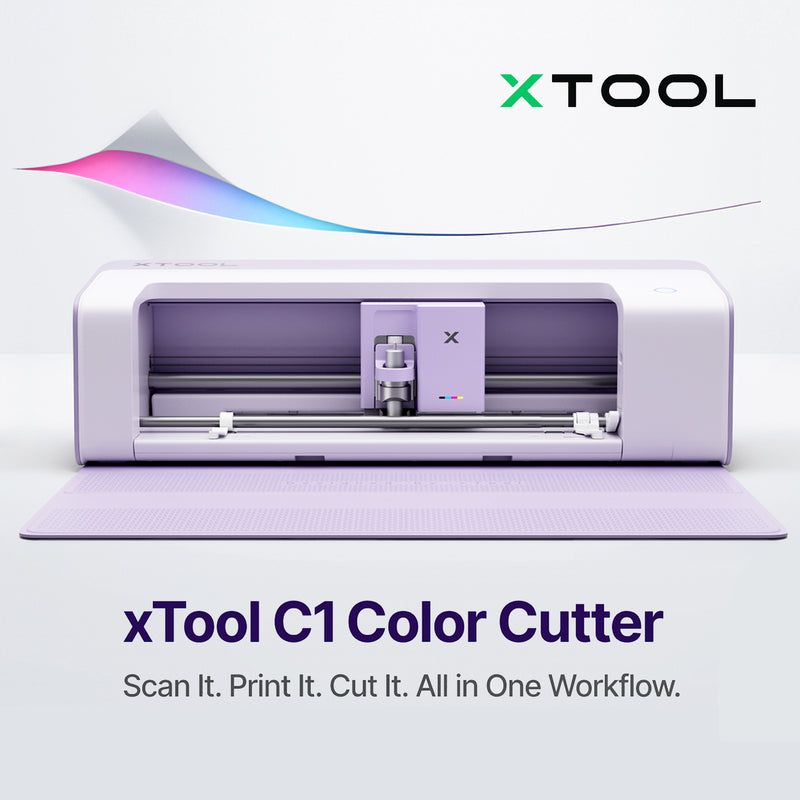

xTool C1 Color Craft Cutter Ultrasonic Cutter with Handheld Mode
$189.00$200.00
$189.00
New Product Launch - Shipping in December
xTool C1 Color Craft Cutter Ultrasonic Cutter with Handheld Mode: Cut Thick, Rigid Materials Up to 3 mm
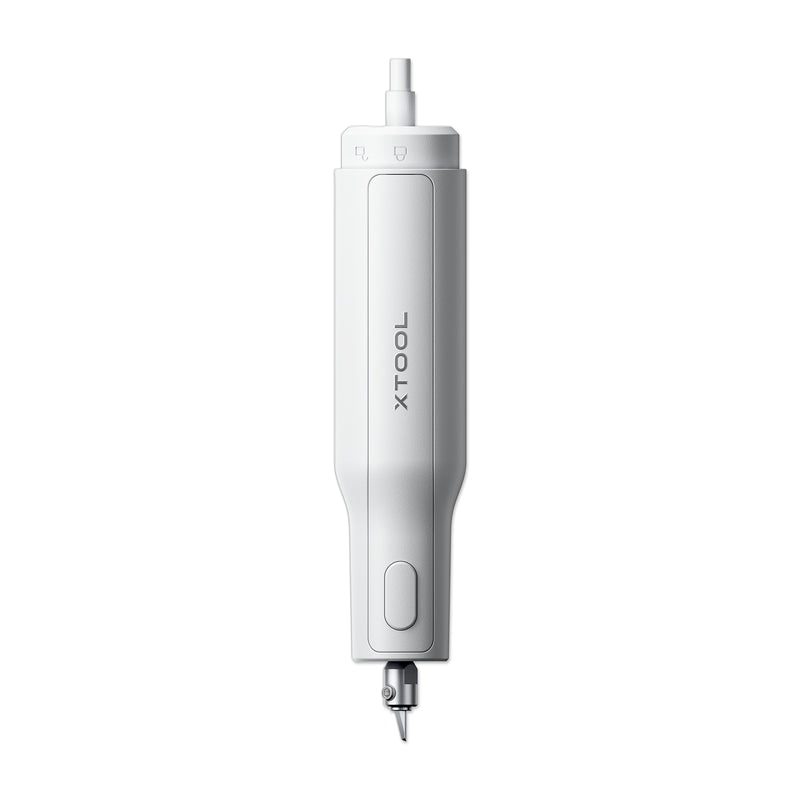
The xTool C1 Color Craft Cutter Ultrasonic Cutter with Handheld Mode takes your C1 well past paper and vinyl. It cuts thick, rigid materials like basswood plywood, MDF, rigid cardboard, and stiff leather up to 3 mm thick. You can mount it on the C1 for precise automated cuts, or take it off and cut by hand for flexible, multi-angle work. Swing Design is xTool's largest dealer, and this is the official C1 tool for wood and other rigid sheets.
Key Features
- Cuts Thick, Rigid Materials: The ultrasonic cutter is the C1's tool for basswood plywood, MDF, rigid cardboard, and stiff leather, with a recommended maximum thickness of 3 mm. Instead of grinding through 20 or more passes with a standard blade, it lets you cut thick, hard sheets faster and more cleanly.
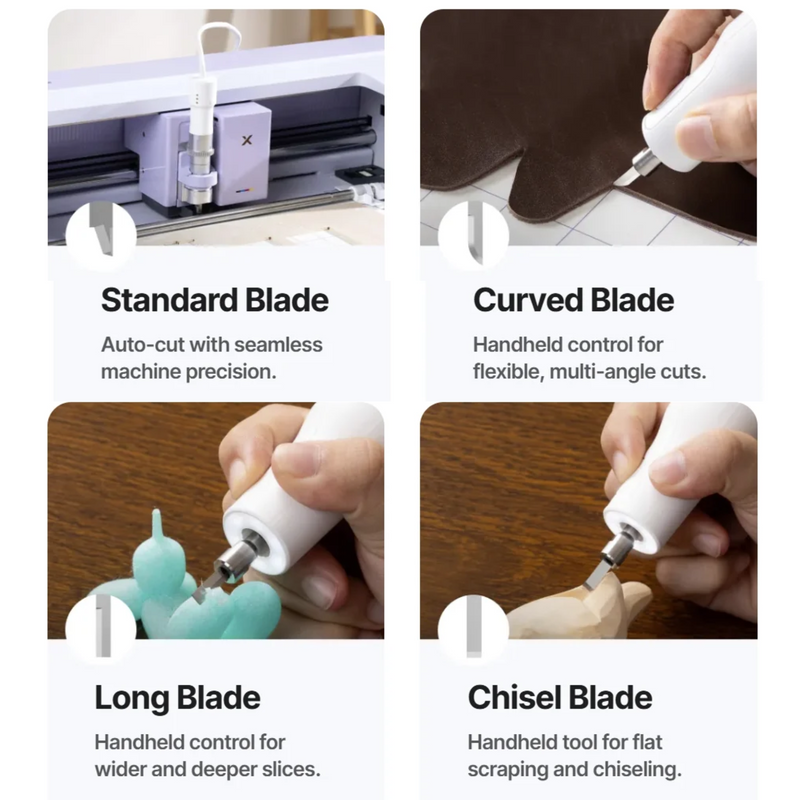
- Machine Mode and Handheld Mode: Attach the cutter to the C1 for automated die cutting with machine precision. Then switch to handheld mode when you want to trim, shape, or cut freehand at different angles. One tool covers both precise production cuts and hands-on detail work.
- Four Blade Types: xTool designed the cutter around four blade styles: Standard, Curved, Long, and Chisel. The Standard Blade is made for precise automated cuts on the machine. The Curved Blade gives you control for handheld, multi-angle cutting.
- Smart Setup in xTool Software: When you pick a material in xTool software, it tells you which tool to use. For official C1 Auto Setting materials, the C1 scans the QR code and loads the recommended pressure, speed, and cut type for you.
- Made for the StrongGrip Ultrasonic Cutting Mat: For machine cutting, use the xTool C1 StrongGrip Ultrasonic Cutting Mat. It holds wood, MDF, thick cardboard, and tooling leather firmly in place so every cut stays accurate.
Purchase includes
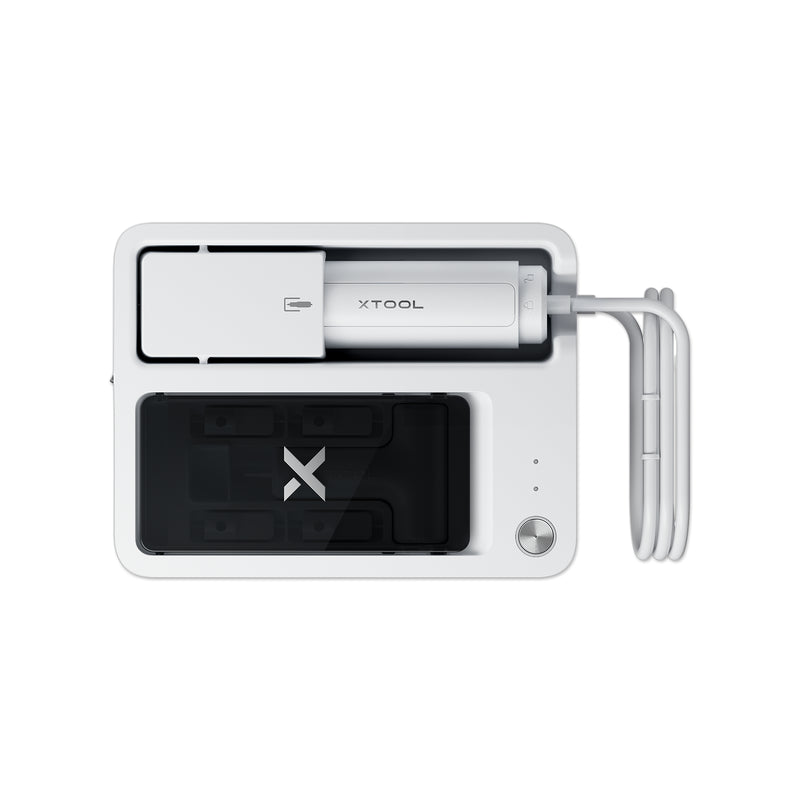
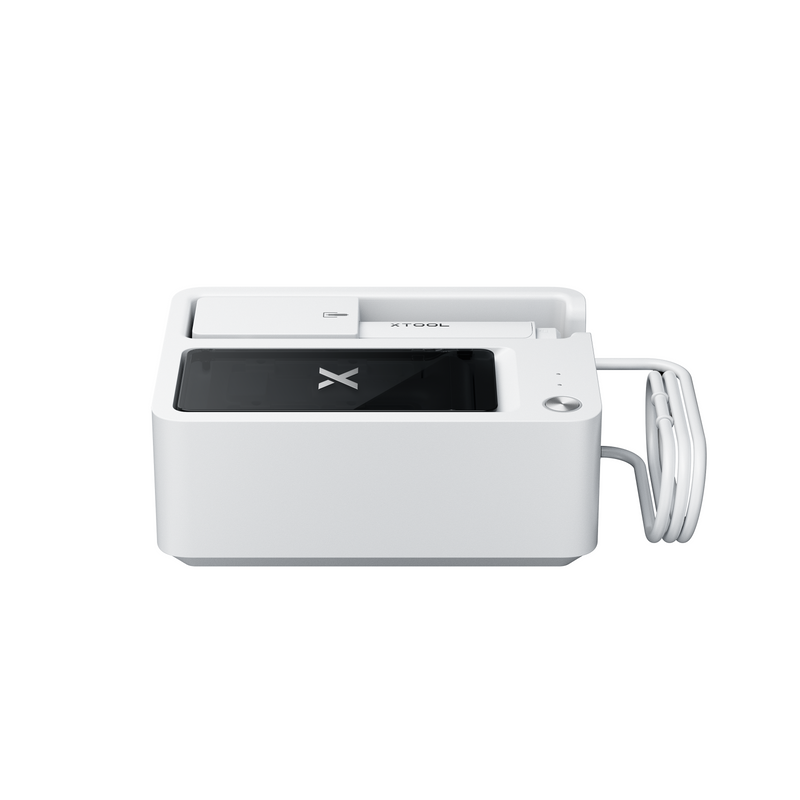
- 1 × xTool C1 Ultrasonic Cutter
- 1 × Standard Blade
- 1 × Curved Blade
- 1 × Long Blade
- 1 × Chisel Blade
Specifications
| Spec | Details |
|---|---|
| Official Product Name | xTool C1 Ultrasonic Cutter |
| Compatible Machine | xTool C1 Color Craft Cutter |
| Use Modes | Machine-mounted automated cutting and handheld cutting |
| Blade Types | Standard, Curved, Long, and Chisel |
| Cutting Mode | Die cut |
| Recommended Maximum Thickness | 3 mm |
| Compatible Materials | Basswood plywood, MDF, rigid cardboard, and stiff leather |
| Required Mat (Machine Use) | xTool C1 StrongGrip Ultrasonic Cutting Mat, 12 x 12 in. |
| Matless Cutting | Not supported |
Ultrasonic Cutter vs C1 Blades
| Tool | Best For | Max Thickness | Cut Modes |
|---|---|---|---|
| Ultrasonic Cutter | Basswood plywood, MDF, rigid cardboard, stiff leather | 3 mm | Die cut |
| Cutting Blade | Balsa, basswood under 2 mm, leather | 3 mm | Die cut |
| Deep Point Blade | Thick HTV, magnet sheets, thin cardboard, thick cardstock | 1.6 mm | Die cut |
| Rotary Blade | Denim, canvas, felt, and other fabrics | 1.5 mm | Die cut |
| Fine Point Blade | Vinyl, HTV, paper, stickers, cardstock | 1 mm | Kiss cut and die cut |
How to Get Started
- Open your design in xTool software and select your material. For C1 Auto Setting materials, let the C1 scan the QR code to load the recommended settings.
- Confirm that the software calls for the ultrasonic cutter.
- Place your material on the StrongGrip Ultrasonic Cutting Mat, inside the 12 x 12-inch grid. For leather, put the smooth side face down.
- Set the mat at the C1's feed inlet and let the machine pull it in.
- Follow the on-screen prompts to install the cutter, then start the job. For new materials, run a small test cut first.
- For handheld work, remove the cutter and use the Curved Blade for flexible, multi-angle cuts, keeping your fingers clear of the blade.
- When you're done, clear away chips and residue, and store used blades in a sealed container.
Who It's For
- Wood and Sign Makers: Cut 3 mm wood sheets for signs, ornaments, and layered decor.
- Leather Crafters: Die cut stiff and tooling leather for wallets, patches, and accessories.
- Model and Prototype Makers: Cut MDF and rigid cardboard for models, packaging, and mockups.
- Crafters Who Want Freehand Control: Use handheld mode for trimming, shaping, and touch-ups.
- C1 Owners Ready to Go Beyond Paper and Vinyl: Unlock thick, rigid materials that standard blades can't handle.
FAQ
What is the xTool C1 Color Craft Cutter Ultrasonic Cutter with Handheld Mode?
It's xTool's official ultrasonic cutter for the C1. It cuts thick, rigid materials up to 3 mm, either mounted on the machine or held in your hand.
What materials can the xTool C1 Color Craft Cutter Ultrasonic Cutter with Handheld Mode cut?
It's designed for basswood plywood, MDF, rigid cardboard, and stiff leather. The C1 doesn't support cutting glass, ceramic, metal, stone, or acrylic sheets.
How thick can the xTool C1 Color Craft Cutter Ultrasonic Cutter with Handheld Mode cut?
The recommended maximum is 3 mm. Results can vary by material, so run a test cut on anything new.
Can I use the xTool C1 Color Craft Cutter Ultrasonic Cutter with Handheld Mode by hand?
Yes. Take it off the C1 and use it for freehand, multi-angle cuts. The Curved Blade is designed for handheld control.
What blades work with the xTool C1 Color Craft Cutter Ultrasonic Cutter with Handheld Mode?
xTool designed it for four blade types: Standard, Curved, Long, and Chisel. The Standard Blade is for automated machine cuts, and the Curved Blade is for handheld work.
Which machines work with the xTool C1 Color Craft Cutter Ultrasonic Cutter with Handheld Mode?
It's made for the xTool C1 Color Craft Cutter.
What mat do I need for the xTool C1 Color Craft Cutter Ultrasonic Cutter with Handheld Mode?
For machine cutting, use the xTool C1 StrongGrip Ultrasonic Cutting Mat (12 x 12 in.). Don't use that mat for paper, cardstock, or fabric.
Does the xTool C1 Color Craft Cutter Ultrasonic Cutter with Handheld Mode support kiss cutting?
No. It's a die-cut tool for cutting all the way through thick materials. For kiss cuts, use the C1 Fine Point Blade.
Can I use the xTool C1 Color Craft Cutter Ultrasonic Cutter with Handheld Mode without a mat?
Not for machine cutting. Matless roll cutting on the C1 is limited to the Fine Point Blade.
How is the xTool C1 Color Craft Cutter Ultrasonic Cutter with Handheld Mode different from the C1 Cutting Blade?
Both reach 3 mm, but the ultrasonic cutter is the tool for rigid sheets like basswood plywood and MDF. The Cutting Blade handles balsa, leather, and basswood under 2 mm. For wood sheets up to 3 mm, xTool recommends the ultrasonic cutter.
How do I set up the xTool C1 Color Craft Cutter Ultrasonic Cutter with Handheld Mode in xTool software?
Select your material and the software shows the tool to use. With C1 Auto Setting materials, the C1 scans the QR code and loads the recommended pressure, speed, and cut type.
Is the xTool C1 Color Craft Cutter Ultrasonic Cutter with Handheld Mode safe to use?
Yes, if you handle it with care. Keep your fingers clear of the blade when installing, removing, or cutting, and keep your hands away from moving parts while the C1 runs. Store used blades in a sealed container.
Why buy the xTool C1 Color Craft Cutter Ultrasonic Cutter with Handheld Mode from Swing Design?
Swing Design is xTool's largest dealer, so you get genuine xTool C1 accessories and knowledgeable help choosing the right tools for your projects.
Where can I buy the xTool C1 Color Craft Cutter Ultrasonic Cutter with Handheld Mode?
You can order it from Swing Design at www.swingdesign.com.
Order the xTool C1 Color Craft Cutter Ultrasonic Cutter with Handheld Mode Today
Cut wood, MDF, rigid cardboard, and leather up to 3 mm on your C1, or by hand, with one powerful tool. Order the xTool C1 Color Craft Cutter Ultrasonic Cutter with Handheld Mode from Swing Design, xTool's largest dealer, today.