







xTool C1 Color Craft Cutter Material Roll Holder
$59.00$69.00
$59.00
New Product Launch - Shipping in December
xTool C1 Color Craft Cutter Material Roll Holder: Feed Long Vinyl, HTV, and Sticker Rolls up to 12 Feet
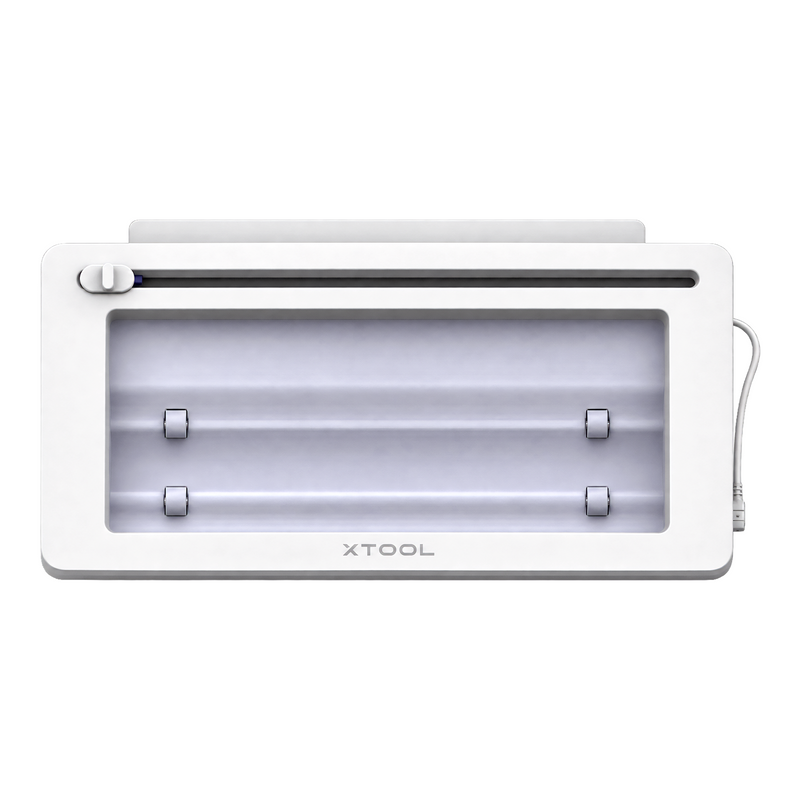
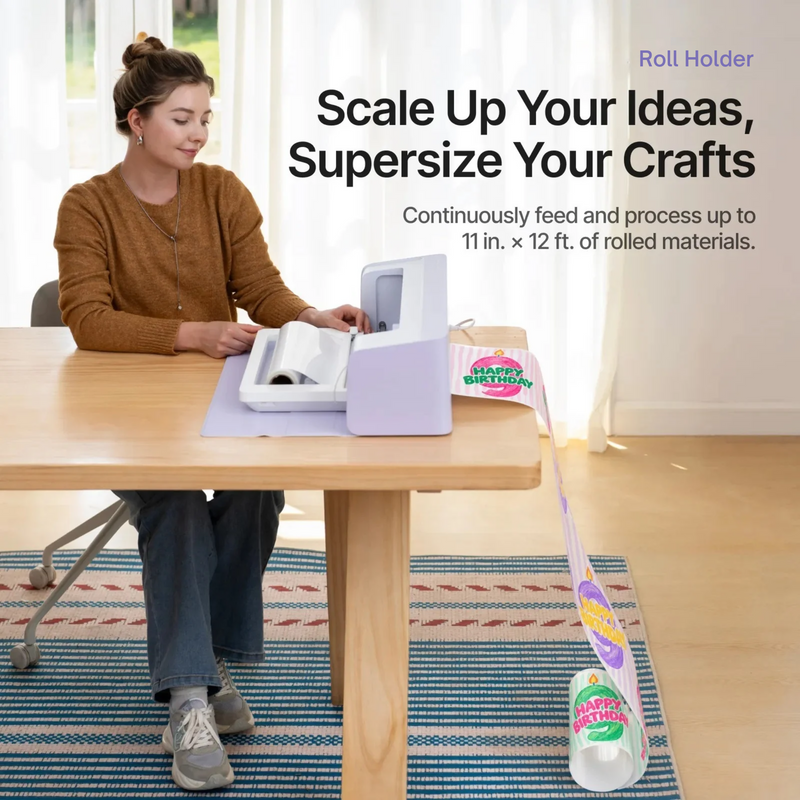
The xTool C1 Color Craft Cutter Material Roll Holder is the official add-on that lets your C1 feed roll material up to 11 inches wide and 12 feet long, so you can print and cut longer pieces without a cutting mat. Swing Design is xTool's largest dealer, and this accessory is a smart upgrade if you make long vinyl decals, HTV designs, or sticker and label strips that won't fit on a 12 x 12 or 12 x 24-inch mat.
Key Features
- Feeds Rolls up to 11 Inches by 12 Feet: The Roll Holder feeds roll material up to 11 in. x 12 ft. (279.4 x 3657.6 mm). That's the C1's working area when it processes roll materials directly, and it's far longer than the 12 x 24-inch long cutting mat.
- Made for Long Vinyl, HTV, and Sticker Strips: Cut longer pieces of vinyl and HTV straight from the roll, or run long sticker strips and label runs on roll stock. Just keep your design inside the 11-inch width and 12-foot length.
- Print and Fine-Point Blade Cutting Without a Mat: When you feed rolls without a mat, the C1 prints and cuts with the Fine-Point Blade. That's the C1 blade made for thin materials like vinyl, HTV, paper, and sticker paper, and it's the one that handles kiss cuts. Scanning, other blades, the Ultrasonic Cutter, drawing, scoring, and foiling stay with mat-based work.
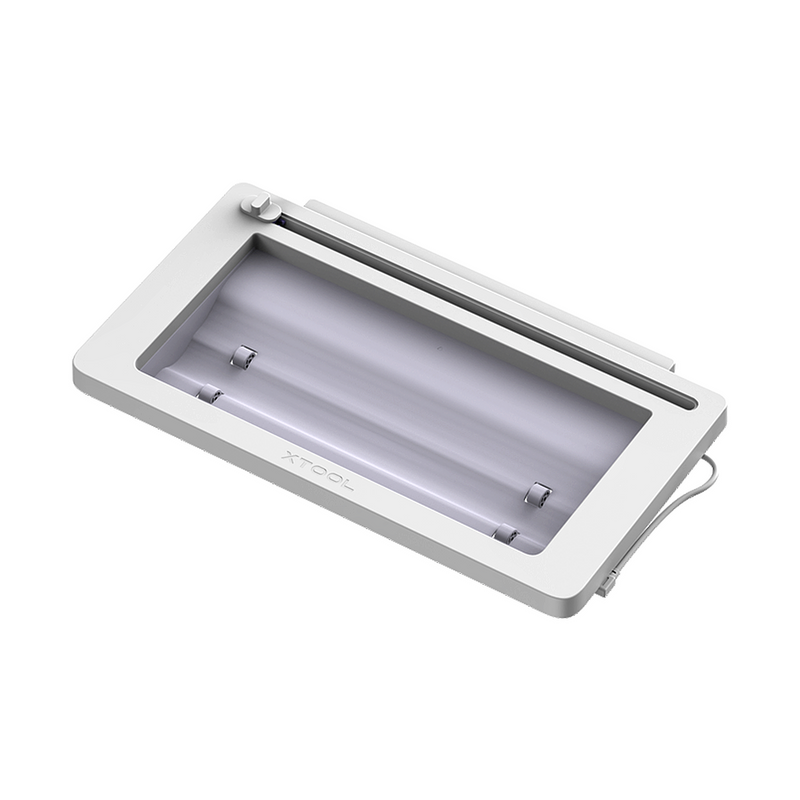
- Plugs Into the C1's Dedicated Port: The Roll Holder connects through the C1 port labeled for the Electrostatic Mat and Roll Holder, so setup is quick and there's nothing extra to wire in.
What's Included
- xTool C1 Roll Holder
Specifications
| Spec | Details |
|---|---|
| Official Product Name | xTool C1 Roll Holder |
| Compatible Machine | xTool C1 Color Craft Cutter |
| Working Area | 11 in. x 12 ft. (279.4 x 3657.6 mm), processing roll materials without a mat |
| Supported Processes (Without a Mat) | Printing, and cutting with the Fine-Point Blade |
| Not Supported in This Mode | Scanning; Deep-Point Blade, Cutting Blade, Rotary Blade, and Ultrasonic Cutter; drawing, scoring, cold foiling, and hot foiling |
| Ideal Uses | Long vinyl and HTV pieces, long sticker strips, and label runs on roll stock |
| Connection | Dedicated C1 port for the Electrostatic Mat / Roll Holder |
| Included With the C1 | No, sold separately |
Roll Holder vs. C1 Mats
| Setup | Working Area | How Material Is Held | Supported Processes | Scanning |
|---|---|---|---|---|
| Standard Cutting Mat | 12 x 12 in. | Adhesive mat | Printing, cutting with all blades, drawing, scoring, hot and cold foiling | Yes |
| Long Cutting Mat | 12 x 24 in. | Adhesive mat | Same as the standard cutting mat | Yes |
| Electrostatic Mat | 12 x 12 in. | Static grip, powered by the C1 | All blades except the Cutting Blade, plus printing, drawing, scoring, and foiling | Yes |
| Roll Holder (No Mat) | 11 in. x 12 ft. | Feeds the roll directly into the C1 | Printing and Fine-Point Blade cutting | No |
How to Get Started
- Connect the Roll Holder to your xTool C1 through the port labeled for the Electrostatic Mat / Roll Holder.
- Place the leading edge of your roll at the feeding inlet and let the machine take it. Don't force material in. If Auto Feed is on in Device settings, the C1 loads it as soon as it's detected. If it's off, press the multifunction button to load.
- In xTool software, set up a print job, a Fine-Point Blade cut, or a print-and-cut job that fits inside 11 in. x 12 ft.
- Follow the on-screen prompts to start the job, then finish and unload the material when it's done.
- For scanning, drawing, scoring, foiling, or other blades, switch to a C1 cutting mat or the Electrostatic Mat.
Who It's For
- Vinyl and HTV Makers: Cut longer decals and heat-transfer designs straight from a roll instead of piecing them together on a mat.
- Sticker and Label Makers: Print and cut long sticker strips and label runs on roll stock, kiss cuts included.
- Small Shops Running Short Batches: Feed rolls for longer jobs, then switch back to a mat when a project needs scanning or a different tool.
- C1 Owners Who Need More Length: Go past 24 inches whenever your project fits a print-and-cut workflow.
FAQ
What is the xTool C1 Color Craft Cutter Material Roll Holder?
It's the official sold-separately add-on that feeds roll material into the xTool C1, so you can print and cut rolled media up to 11 in. x 12 ft. without a mat.
What size rolls work with the xTool C1 Color Craft Cutter Material Roll Holder?
It feeds roll material up to 11 inches wide and 12 feet long (279.4 x 3657.6 mm).
What can I make with the xTool C1 Color Craft Cutter Material Roll Holder?
Long vinyl decals, HTV designs, sticker strips, and label runs on roll stock are all great fits. The C1 prints and cuts these with the Fine-Point Blade.
What materials work with the xTool C1 Color Craft Cutter Material Roll Holder?
Vinyl, HTV, sticker paper, and label roll stock. Cutting in this mode uses the Fine-Point Blade, which is recommended for thin materials up to 1 mm.
Which blade works with the xTool C1 Color Craft Cutter Material Roll Holder?
The Fine-Point Blade. The Deep-Point Blade, Cutting Blade, Rotary Blade, and Ultrasonic Cutter aren't supported when you process rolls without a mat.
Can I scan with the xTool C1 Color Craft Cutter Material Roll Holder?
No. Scanning isn't available when the C1 feeds roll material without a mat. Use a cutting mat or the Electrostatic Mat when you need scanning.
Can I kiss cut stickers with the xTool C1 Color Craft Cutter Material Roll Holder?
Yes. The Fine-Point Blade is the C1 blade that supports kiss cutting, and it's the blade you'll use with roll material.
Can I draw, score, or foil with the xTool C1 Color Craft Cutter Material Roll Holder?
Not in roll mode. Drawing, scoring, and hot or cold foiling are done on a cutting mat or, for most of those, the Electrostatic Mat.
Do I need a cutting mat with the xTool C1 Color Craft Cutter Material Roll Holder?
No. The Roll Holder feeds material directly into the C1 without a mat. Switch to a mat only when your project needs scanning or a different tool.
How does the xTool C1 Color Craft Cutter Material Roll Holder connect?
It plugs into the C1 port labeled for the Electrostatic Mat / Roll Holder.
Is the xTool C1 Color Craft Cutter Material Roll Holder included with the C1?
No. It's sold separately and isn't part of the C1 Basic or Deluxe kit.
What's the difference between the long cutting mat and the xTool C1 Color Craft Cutter Material Roll Holder?
The long cutting mat gives you a 12 x 24-inch adhesive surface with scanning and every mat-based tool. The Roll Holder goes up to 12 feet long without a mat, focused on printing and Fine-Point Blade cutting.
Why buy the xTool C1 Color Craft Cutter Material Roll Holder from Swing Design?
Swing Design is xTool's largest dealer, so you get genuine xTool C1 accessories and knowledgeable help choosing the right tools for your projects.
Where can I buy the xTool C1 Color Craft Cutter Material Roll Holder?
You can order it from Swing Design at www.swingdesign.com.
Order the xTool C1 Color Craft Cutter Material Roll Holder Today
Feed vinyl, HTV, and sticker rolls up to 11 inches wide and 12 feet long, then print and cut with the Fine-Point Blade on your xTool C1. Order the xTool C1 Color Craft Cutter Material Roll Holder from Swing Design, xTool's largest dealer, today.