

















xTool C1 Color Craft Cutter Hot Foil 3pc Pen Set
$69.00$79.00
$69.00
New Product Launch - Shipping in December
xTool C1 Crafter Cutter Heat Activated Hot Foil Pen Set: Add Metallic Shine With Heat Foiling on Your xTool C1
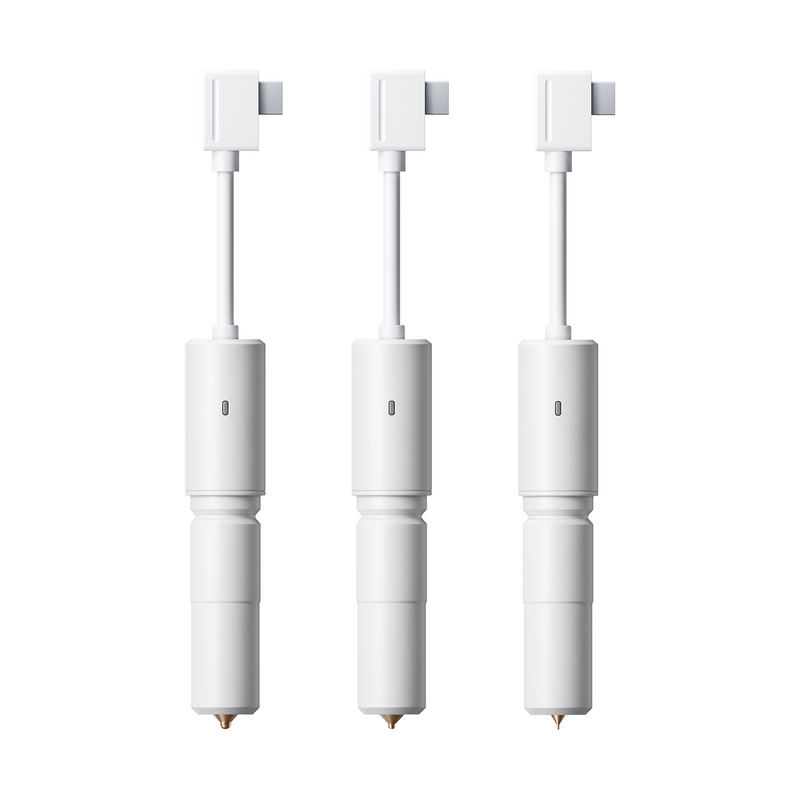
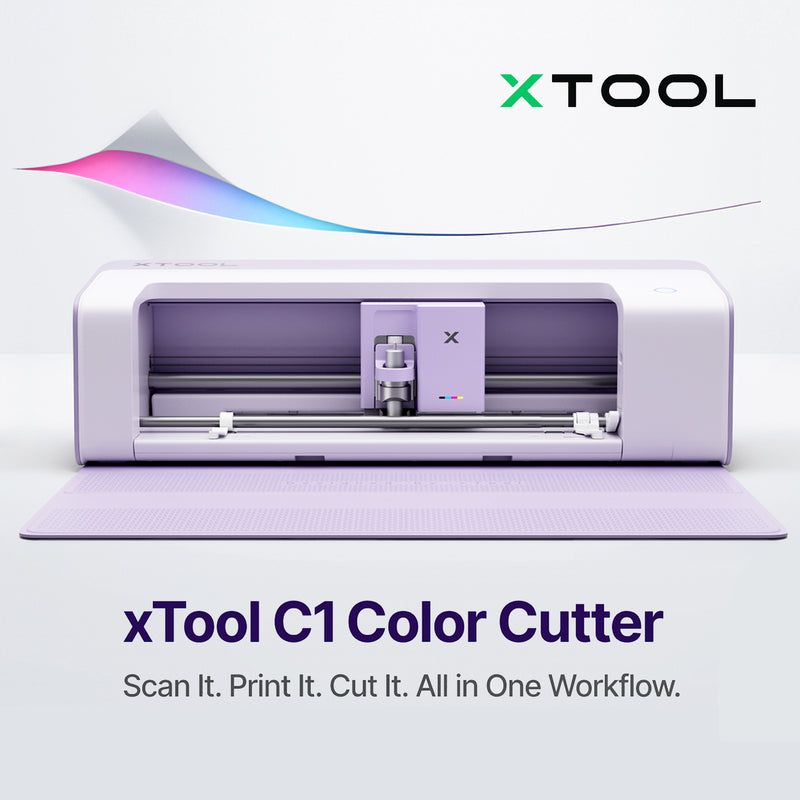
The xTool C1 Crafter Cutter Hot Foil Pen Set turns your xTool C1 into a heat foiling tool for cards, leather, acrylic, and more. Three tip sizes let you draw fine lines or fill bold shapes with metallic foil. Swing Design is xTool's largest dealer, and this set is a great add-on if you already have a C1, or if you're building a C1 setup for invitations, gifts, and custom signs.
Key Features
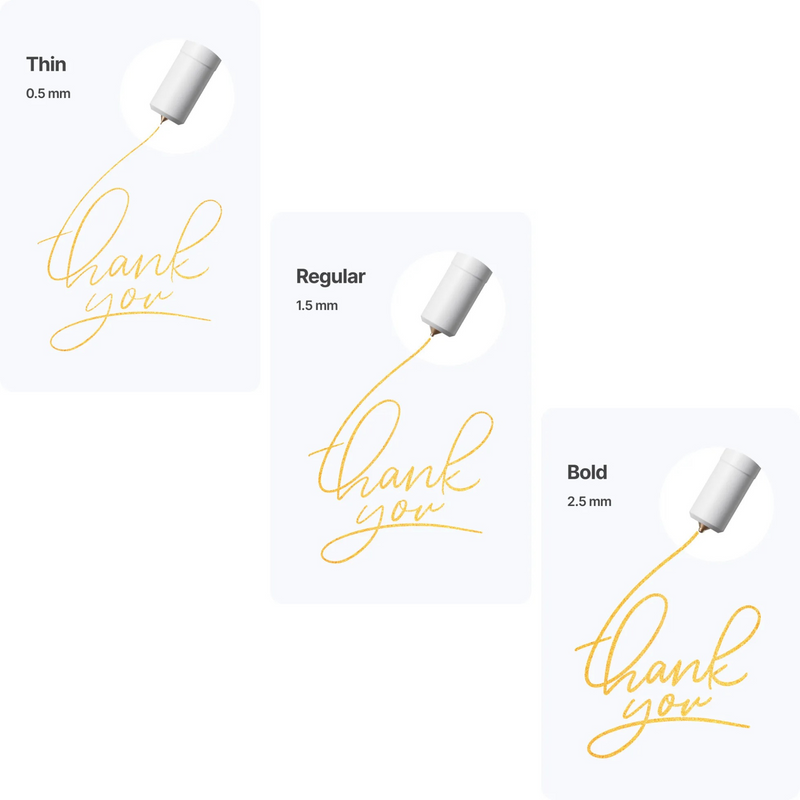
- Three Tip Sizes for Fine Lines and Bold Work: The set includes Thin (0.5 mm), Regular (1.5 mm), and Bold (2.5 mm) tips. Use the thin tip for small details and the regular tip for clean lines. Use the bold tip for thicker lines and filled areas, which you choose in xTool software's Hot Foil Process.
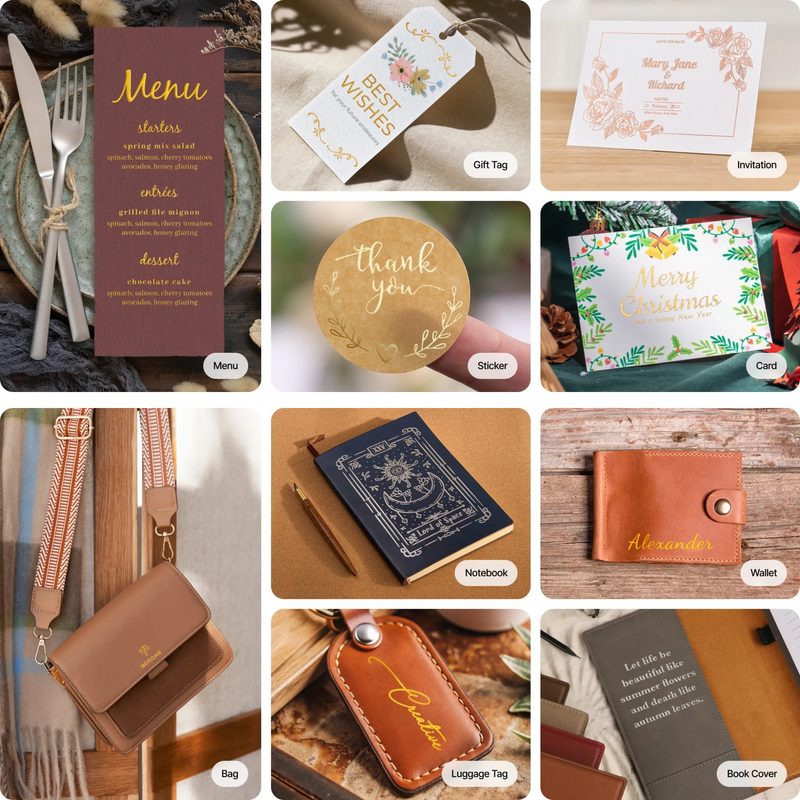
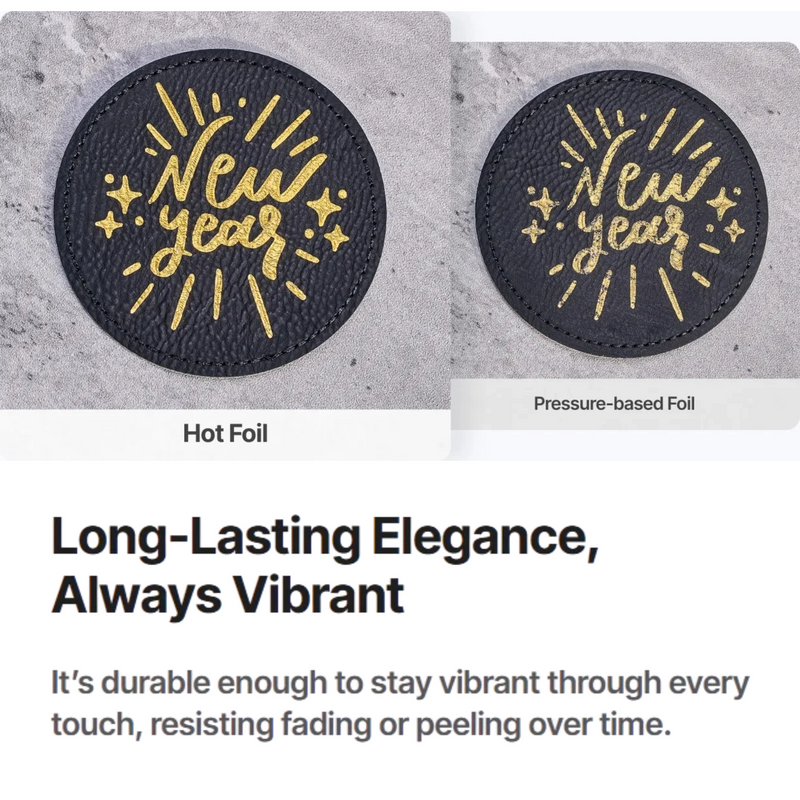
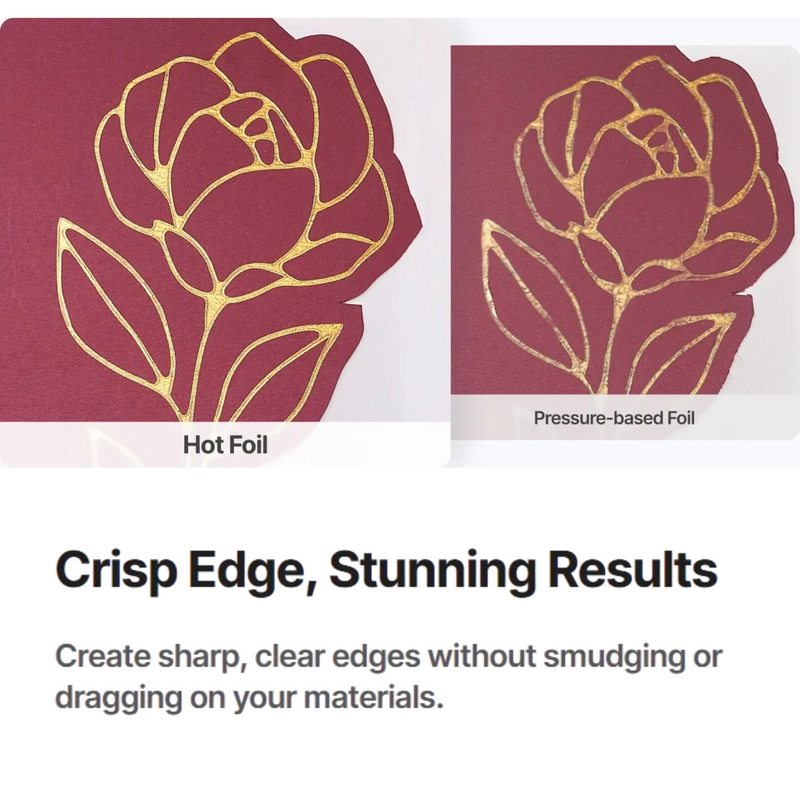
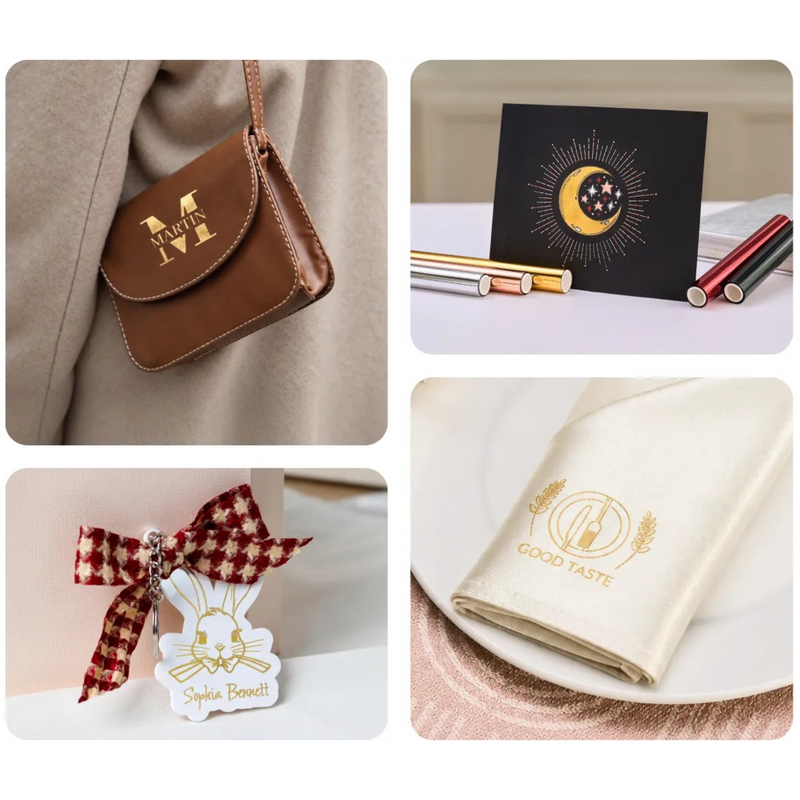
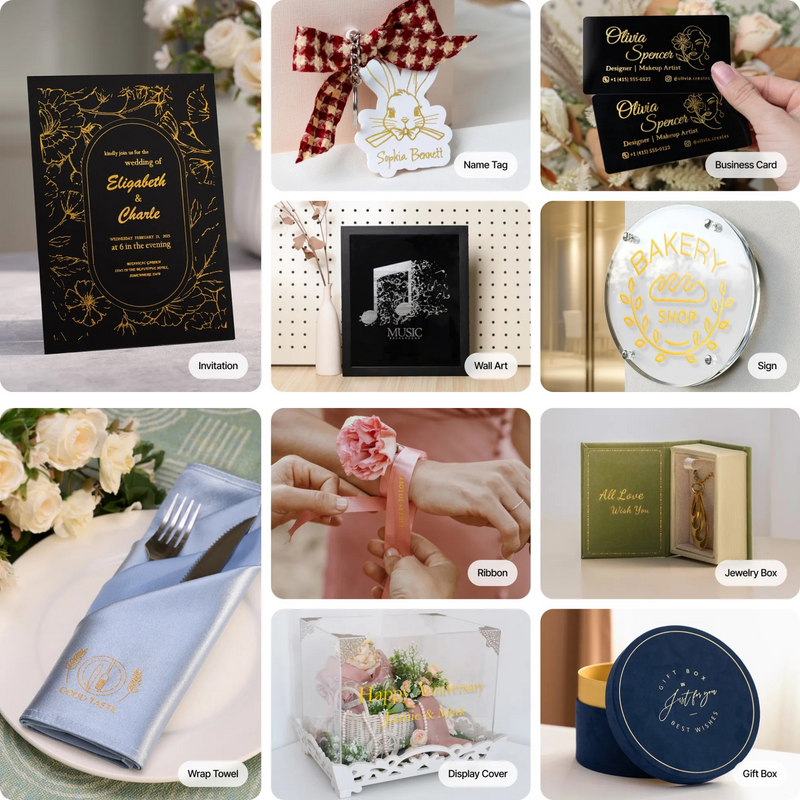
- Heat Foiling on More Than Paper: The heated tip transfers foil onto paper, cardstock, stickers, leather, ribbons, silk, and acrylic. Without foil, you can also deboss cotton cardstock and dampened vegetable-tanned leather.
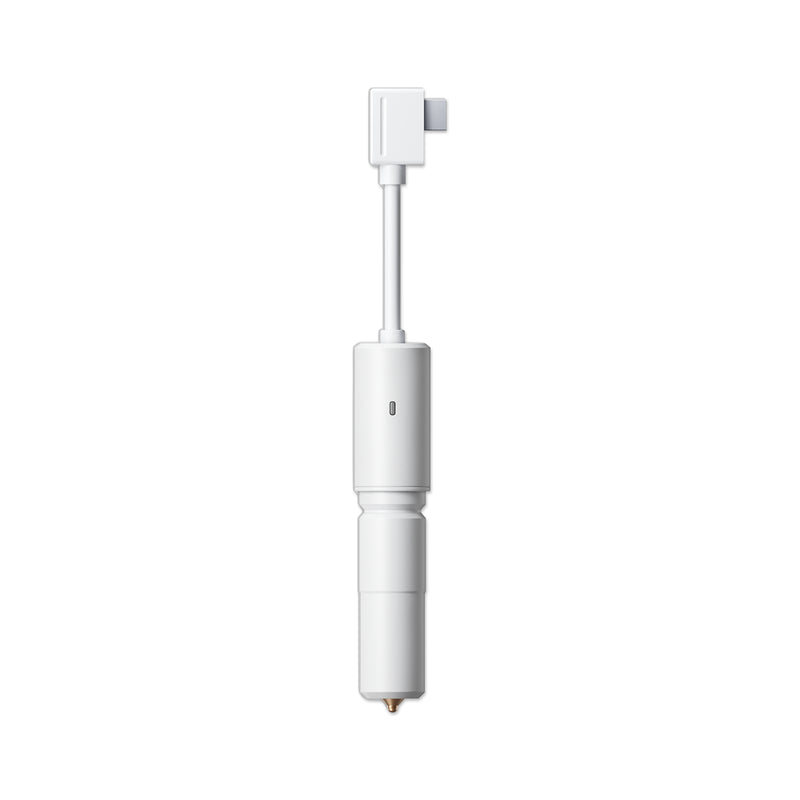
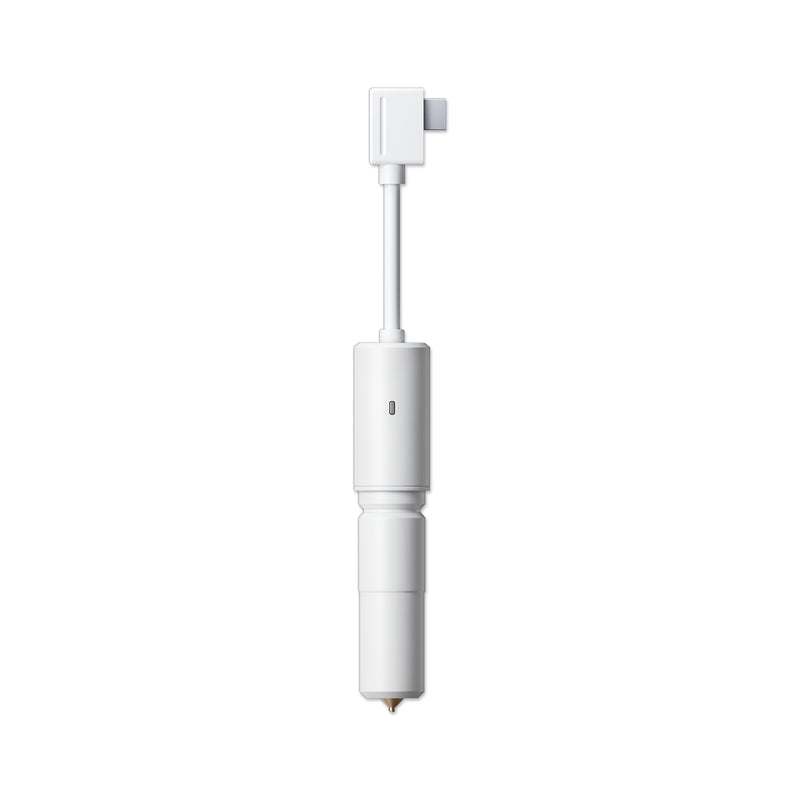
- Made for the xTool C1: The pens get their power and temperature control from the C1, so they don't work on their own. Install a pen with the indicator facing outward. A solid white light means the pen is preheated to 50°C and waiting. Breathing orange means it's still heating, and solid green means it's ready to go.
- Works in xTool Software: In Freestyle mode, select the Hot Foil Process, choose the tip you installed, and pick Line or Fill. You can preview the foil color on the canvas, and official xTool materials are recognized automatically. Follow the on-screen prompts, then press the C1's multifunction button to start.
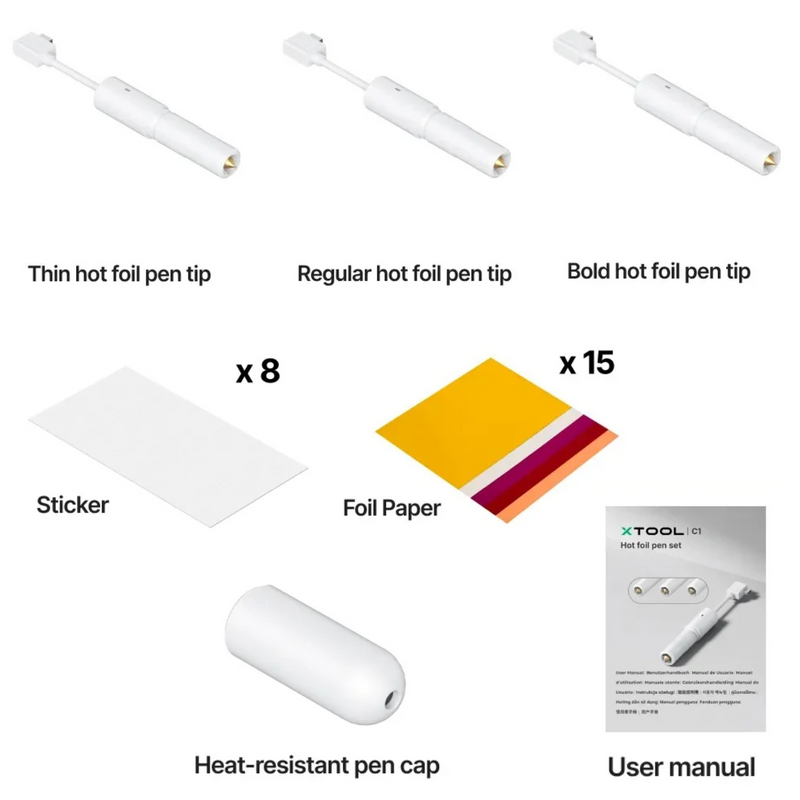
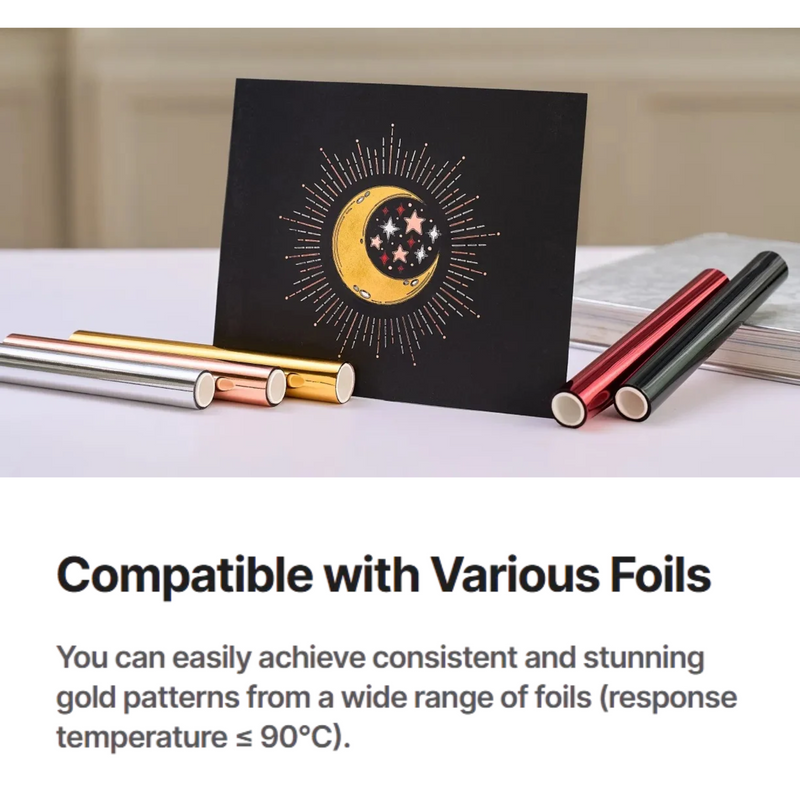
- Starter Foil and Supplies Included: You get 15 sheets of foil paper, 8 stickers to hold the foil flat, a heat-resistant pen cap, and a user manual. For refills, use heat-activated foil with a response temperature of 90°C or lower.
Purchase includes
- 1 × xTool C1 Thin Hot Foil Pen
- 1 × xTool C1 Standard Hot Foil Pen
- 1 × xTool C1 Bold Hot Foil Pen
- 8 × xTool Sticker Sheets
- 15 × xTool Assorted Foil Sheets
- 1 × xTool C1 Heat Resistant Pen Cap
- User Manual
Specifications
| Spec | Details |
|---|---|
| Product Name | xTool C1 Hot Foil Pen Set |
| Compatible Machine | xTool C1 only |
| Tip Sizes | Thin 0.5 mm, Regular 1.5 mm, Bold 2.5 mm |
| Functions | Hot foiling, line embossing, and filled embossing |
| Hot Foil Materials | Paper, cardstock, stickers, leather, ribbons, silk, and acrylic |
| Debossing Materials | Cotton cardstock and dampened vegetable-tanned leather |
| Recommended Foil | Heat-activated foil, response temperature of 90°C or lower |
| Max Material Thickness | Up to 3 mm on the adhesive cutting mat, up to 1.7 mm on the electrostatic mat |
| Power | Powered by the xTool C1, 24 V / 6 W |
| Preheat Indicator | Solid white at 50°C, waiting for a task |
| Dimensions | 17 mm diameter x 158.3 mm long, per pen |
| Net Weight | 69.2 g for all 3 pens |
| Software | xTool software, Hot Foil Process in Freestyle mode |
How to Get Started
- Connect your xTool C1 to xTool software and choose Freestyle mode.
- Place foil paper over the area you'll foil, and tape all four edges flat with the included stickers or low-tack masking tape. The foil shouldn't have any slack or lifted edges.
- Attach your material to a cutting mat or electrostatic mat, then load the mat into the C1.
- Select the Hot Foil Process, choose the tip you'll install, and pick Line or Fill.
- Install the hot foil pen with the indicator facing outward. Wait for the solid green light, then press the C1's multifunction button to start.
- When you're done, remove the pen and cover the tip with the heat-resistant cap. The tip stays hot for a while, so don't touch it.
Who It's For
- Card Makers: Add gold or other metallic details to invitations, place cards, and gift tags.
- Paper Crafters and Scrapbookers: Foil titles, borders, and accents on cardstock and stickers.
- Leather and Gift Makers: Add foil or a debossed look to leather pieces and gift wrap.
- Small Shops and Etsy Sellers: Offer metallic finishes on acrylic signs, labels, and packaging.
- xTool C1 Owners: Add heat foiling and embossing without buying a separate foil press.
FAQ
What is the xTool C1 Crafter Cutter Hot Foil Pen Set?
It's a heat foiling accessory for the xTool C1. It transfers metallic foil onto your material, and it can also emboss or deboss compatible materials without foil.
What's included with the xTool C1 Crafter Cutter Hot Foil Pen Set?
You get Thin, Regular, and Bold hot foil pen tips, a heat-resistant pen cap, 15 sheets of foil paper, 8 stickers, and a user manual.
Which machines work with the xTool C1 Crafter Cutter Hot Foil Pen Set?
It's made for the xTool C1 only. It needs the C1 for power and temperature control, so it can't be used as a standalone tool.
What tip sizes come with the xTool C1 Crafter Cutter Hot Foil Pen Set?
You get a 0.5 mm thin tip, a 1.5 mm regular tip, and a 2.5 mm bold tip.
What materials can the xTool C1 Crafter Cutter Hot Foil Pen Set foil?
xTool lists paper, cardstock, stickers, leather, ribbons, silk, and acrylic for hot foil stamping. For debossing, it lists cotton cardstock and dampened vegetable-tanned leather.
What kind of foil does the xTool C1 Crafter Cutter Hot Foil Pen Set use?
Use heat-activated foil with a response temperature of 90°C or lower. xTool recommends its official foil for the best results.
How do I use the xTool C1 Crafter Cutter Hot Foil Pen Set in xTool software?
Open Freestyle mode, select the Hot Foil Process, choose your tip, and pick Line or Fill. Then follow the prompts to install the pen and start the job on the C1.
How do I know when the xTool C1 Crafter Cutter Hot Foil Pen Set is ready?
A solid white light means the pen is preheated to 50°C and waiting for a task. Breathing orange means it's still heating, and solid green means it's ready to start.
Can I foil and cut in the same project with the xTool C1 Crafter Cutter Hot Foil Pen Set?
Yes. xTool's foiled card tutorial foils first, then prompts you to switch tools and cut with a fine-point blade.
Is the foil from the xTool C1 Crafter Cutter Hot Foil Pen Set easy to scratch?
Foil paper is thin and can scratch easily. Keep fingernails and sharp objects off the foiled area, and keep the sheet flat and firmly taped down while you work.
How should I store the xTool C1 Crafter Cutter Hot Foil Pen Set after use?
The tip stays hot after processing, so cover it with the heat-resistant cap and keep the pen out of reach of children.
Why buy the xTool C1 Crafter Cutter Hot Foil Pen Set from Swing Design?
Swing Design is xTool's largest dealer, so you get genuine xTool C1 accessories and knowledgeable help choosing the right tools for your projects.
Where can I buy the xTool C1 Crafter Cutter Hot Foil Pen Set?
You can order it from Swing Design at www.swingdesign.com.
Order the xTool C1 Crafter Cutter Hot Foil Pen Set Today
Add heat foiling and embossing to your xTool C1 with three tip sizes, starter foil, and simple software control for cards, leather, acrylic, and more. Order the xTool C1 Crafter Cutter Hot Foil Pen Set from Swing Design, xTool's largest dealer, today.