






eufyMake E1 Stainless Steel Travel Mug - 6 Pack: Handled Mug Blanks for UV Printing on the eufyMake E1
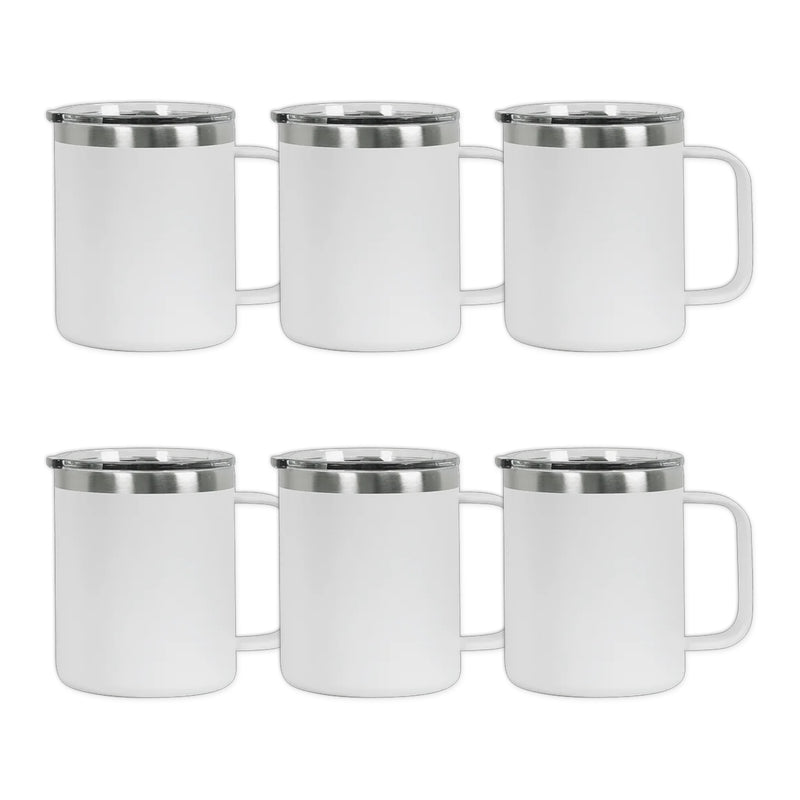
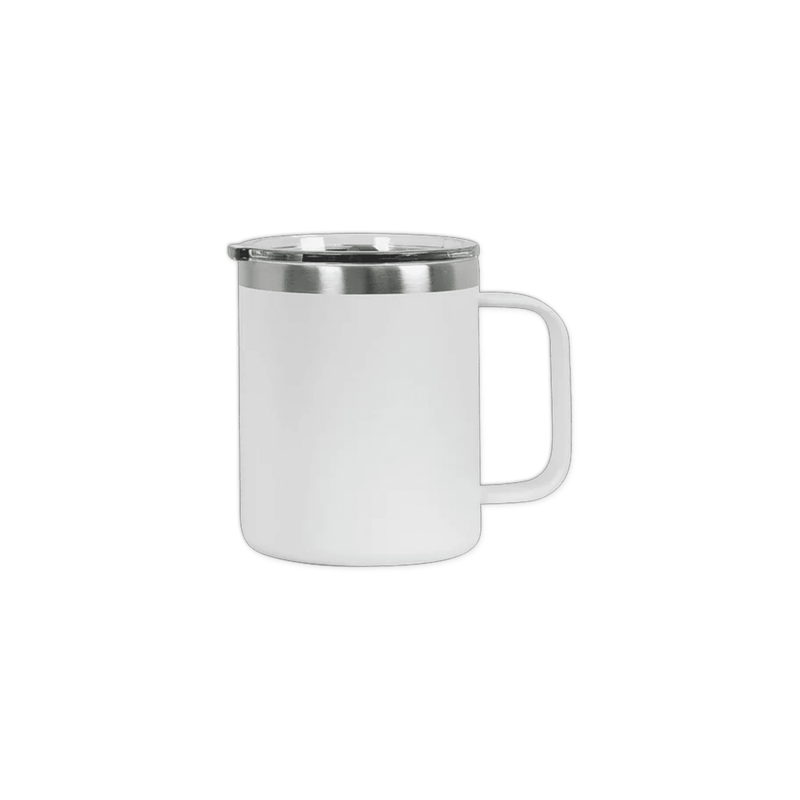
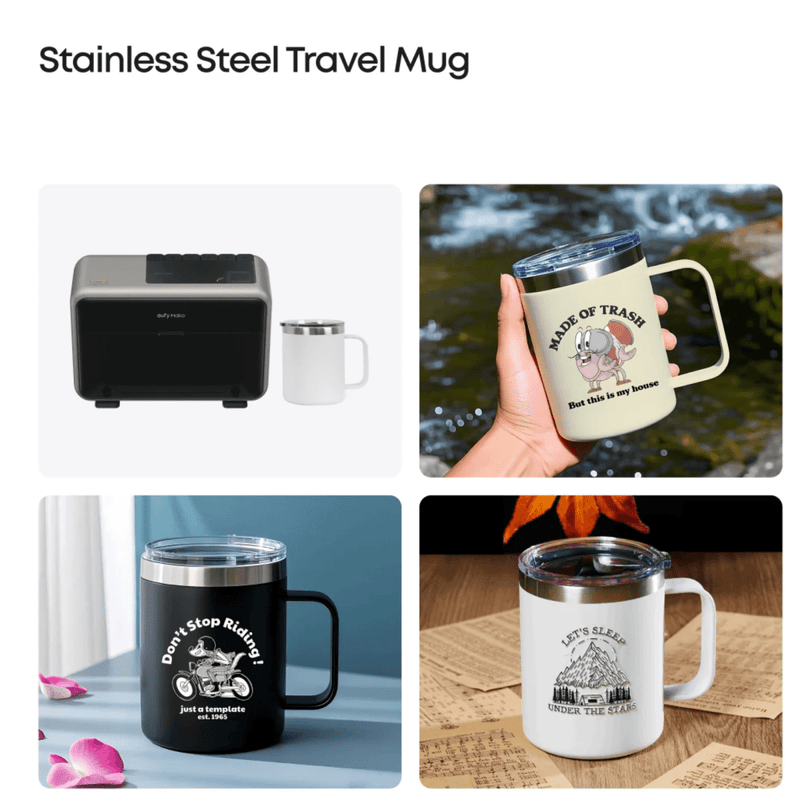
The eufyMake E1 Stainless Steel Travel Mug - 6 Pack gives you six stainless steel travel mug blanks made for the eufyMake E1 UV printer. Each mug has a handle, which makes it a great fit for coffee gifts and everyday drinkware. The E1's rotary attachment measures the mug, finds the handle, and prints your design on the area around it. Swing Design carries eufyMake printers and accessories, so you can get your printer and your blanks in one order.
Key Features
- Handled Travel Mug Blanks: Travel mugs are a popular gift for coffee drinkers, commuters, and teams. With six blanks in a pack, you can make a matching gift set or a small batch for your shop.
- Made for the eufyMake E1 Rotary Attachment: eufyMake's rotary guides list the travel mug by name. The rotary attachment holds cups with handles, plus cups from 80 to 245 mm tall and 45 to 100 mm in diameter.
- Handle-Aware Auto Measure: In eufyMake Studio, choose the Rotary print bed, select With Handle, and click Auto Measure. The E1 measures the mug and marks the area near the handle as non-printable on your canvas, so you can plan your artwork around it.
- Preview Before You Print: Studio shows a flat preview of your design with the handle zone and your top and bottom margins. That makes it easy to keep artwork clear of the rim, base, and handle before you print.
- Stainless Steel Construction: The mugs are stainless steel, which eufyMake lists as a supported material for UV printing on the E1.
What's Included
- 6 Stainless Steel Travel Mugs
The eufyMake E1 UV Printer and Rotary Printing Attachment are sold separately.
Specifications
| Spec | Details |
|---|---|
| Product Name | eufyMake E1 Stainless Steel Travel Mug - 6 Pack |
| Pack Size | 6 Travel Mugs |
| Material | Stainless Steel |
| Style | Travel Mug With Handle |
| Designed For | eufyMake UV Printer E1 |
| Printing Method | UV Printing With the Rotary Printing Attachment |
| Rotary Attachment Cup Height Range | 80 to 245 mm (about 3.1 to 9.6 in) |
| Rotary Attachment Cup Diameter Range | 45 to 100 mm (about 1.8 to 3.9 in) |
| Rotary Attachment Handle Limit | Up to 50 mm |
| Print Coverage | Around the mug, except a non-printable zone near the handle |
| Cleaning Before Printing | Wipe with 75% alcohol |
| Care for Printed Mugs | Hand wash only, no dishwasher |
How to Get Started
- Slide the latch on your E1's tray to the left and lift out the flatbed.
- Set the Rotary Printing Attachment on the tray and slide the latch back to lock it.
- Wipe the mug with 75% alcohol. If you're printing on bare metal, apply eufyMake's metal pretreatment first.
- Rest the base of the mug on the follower wheels. If you need extra reach, add the follower wheel bushings that come with the attachment.
- Put the mug's opening against the front stop pin on the drive wheels, with the handle near the driving wheel. Slide the support until the rear stop pin touches the base, then lock the strut.
- In eufyMake Studio, select the Rotary print bed, choose With Handle, and click Auto Measure.
- Add your design, set the top and bottom margins, check the preview, and print.
Who It's For
- eufyMake E1 Owners: Add handled mug blanks to your rotary setup.
- Etsy and Craft Sellers: Print custom travel mugs in sets of six.
- Gift and Event Makers: Make matching mugs for teams, weddings, and parties.
- Small Shops and Studios: Offer a popular commuter-style drinkware product.
- Hobbyists and Makers: Try UV printing on a mug with a handle.
FAQ
What's included in the eufyMake E1 Stainless Steel Travel Mug - 6 Pack?
You get 6 stainless steel travel mugs.
Which printer is the eufyMake E1 Stainless Steel Travel Mug made for?
It's made for the eufyMake UV Printer E1, used with the Rotary Printing Attachment.
Can I print all the way around the eufyMake E1 Stainless Steel Travel Mug?
Not completely. The area near the handle can't be printed, and eufyMake Studio marks it on your canvas so you can design around it.
How does the eufyMake E1 handle the travel mug's handle?
Select With Handle in eufyMake Studio, then run Auto Measure. The printer measures the mug and marks the non-printable zone near the handle.
What handle size does the eufyMake E1 rotary attachment support?
eufyMake says the rotary attachment supports handles up to 50 mm. If measurement fails, check that nothing is blocking the sensor's path.
How do I load the eufyMake E1 Stainless Steel Travel Mug on the rotary attachment?
Rest the base on the follower wheels, put the opening on the drive wheels with the handle near the driving wheel, and lock the strut. Add the follower wheel bushings if you need extra reach.
Do I need to prep the eufyMake E1 Stainless Steel Travel Mugs before printing?
Wipe each mug with 75% alcohol first. eufyMake says bare metal needs a metal pretreatment, so follow their guidance for your mugs.
Are printed eufyMake E1 Stainless Steel Travel Mugs dishwasher safe?
No. eufyMake says not to put UV-printed cups in the dishwasher, because the ink can peel or fade. Wash them by hand.
Can I print near the rim of the eufyMake E1 Stainless Steel Travel Mug?
eufyMake advises keeping printed designs away from the mouth, so leave the drinking area clear when you place your artwork.
Do I need the rotary attachment for the eufyMake E1 Stainless Steel Travel Mug?
Yes. The Rotary Printing Attachment holds and turns the mug while the E1 prints. It's sold separately.
Why buy the eufyMake E1 Stainless Steel Travel Mug - 6 Pack from Swing Design?
Swing Design carries eufyMake printers and accessories, with knowledgeable help choosing the right setup for your work.
Where can I buy the eufyMake E1 Stainless Steel Travel Mug - 6 Pack?
You can order it from Swing Design at www.swingdesign.com.
Order the eufyMake E1 Stainless Steel Travel Mug - 6 Pack Today
Stock up on stainless steel travel mug blanks made for the eufyMake E1, and print custom designs that Auto Measure lines up around the handle. Order the eufyMake E1 Stainless Steel Travel Mug - 6 Pack from Swing Design today.