







Embrilliance Express Embroidery Software Free Download
$0.00
$0.00
Add-ons


BAi MIRROR 15 Needle Commercial Embroidery Machine with Deluxe Bundle
$7,899.00$6,400.00

BAi MIRROR 15 Needle Commercial Embroidery Machine with Mighty Hoop Bundle
$8,134.99$6,400.00

BAi VISION 15 Needle Commercial Embroidery Machine with Deluxe Bundle
$10,299.99$8,600.00

BAi VISION 15 Needle Embroidery Machine Bundle with Hotronix Cap Press & Hoops
$11,894.00$9,999.00

BAi VISION Two Head 15 Needle Commercial Embroidery Machine Deluxe Bundle
$13,238.99$11,000.00


Get started with embroidery design files and BX fonts for free with Embrilliance Express. This free software allows embroidery enthusiasts to open, view, and save .BE embroidery project files, install BX embroidery fonts, and export designs to their embroidery machine's native stitch format. Available for both Windows and Mac, Embrilliance Express is the perfect introduction to the Embrilliance platform.
Whether you've downloaded a BX font, received a .BE embroidery file, or want to explore the Embrilliance ecosystem before purchasing additional software, Embrilliance Express gives you the tools you need at no cost.
What Can Embrilliance Express Do?
- Open and view .BE embroidery project files
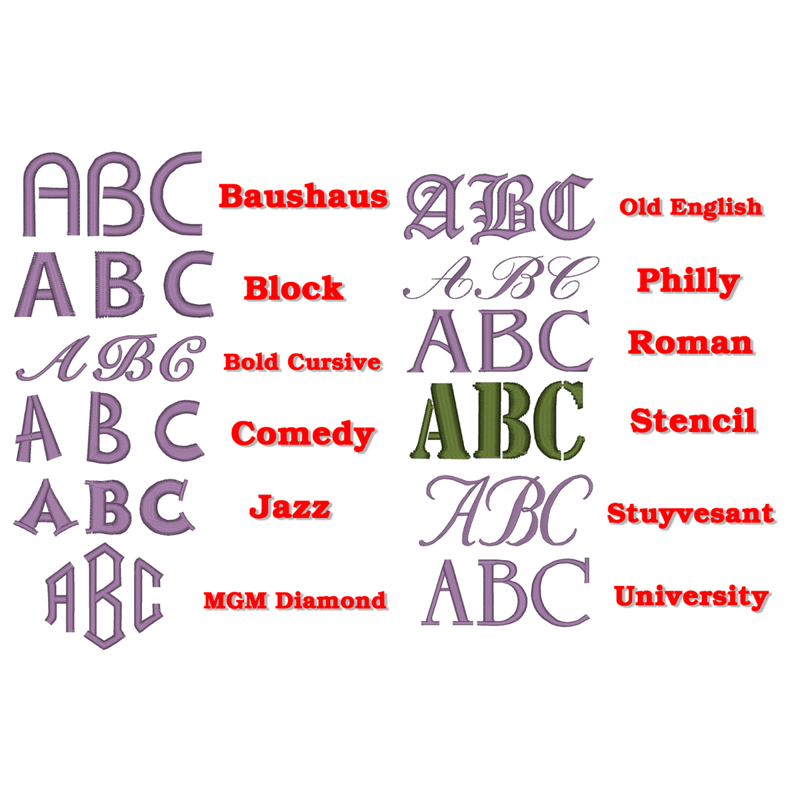
- Install and use BX keyboard-ready embroidery fonts
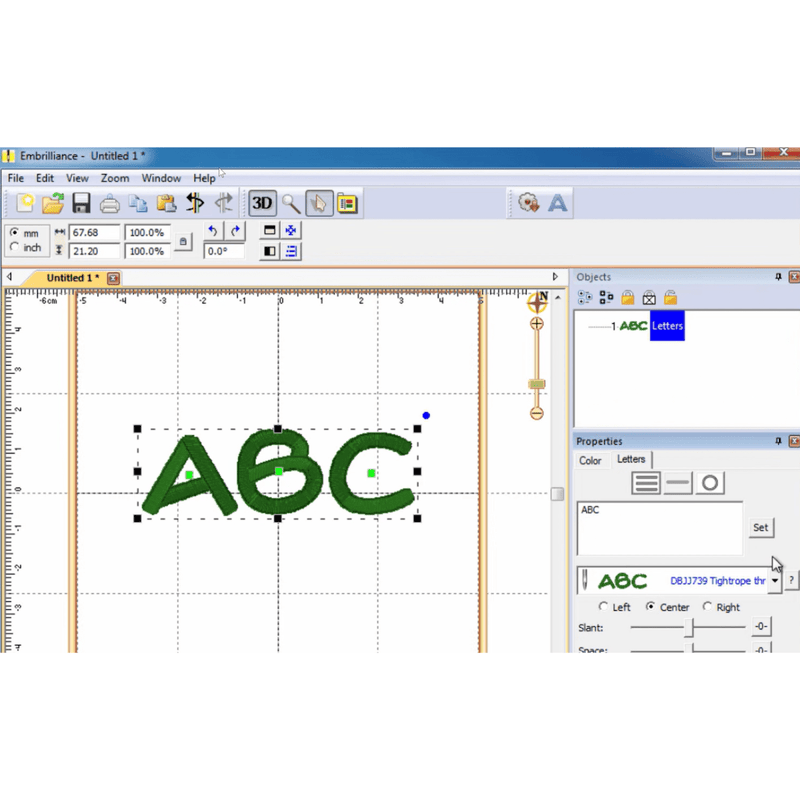
- Type embroidery lettering directly from your keyboard
- Save designs in your embroidery machine's stitch file format
- Compatible with both Windows and macOS
- Completely free with no serial number required
- No dongles, subscriptions, or activation fees
What Is a .BE File?
A .BE file is the native project format used by the Embrilliance platform. It allows embroidery designs to remain fully editable so you can make changes, personalize projects, and save stitch files for different embroidery machine formats.
What Is a BX Font?
BX files are special embroidery font installers that add keyboard-ready embroidery fonts directly into the Embrilliance platform. Once installed, you can simply type lettering using your keyboard instead of placing individual embroidery letters one at a time.
Easy Installation
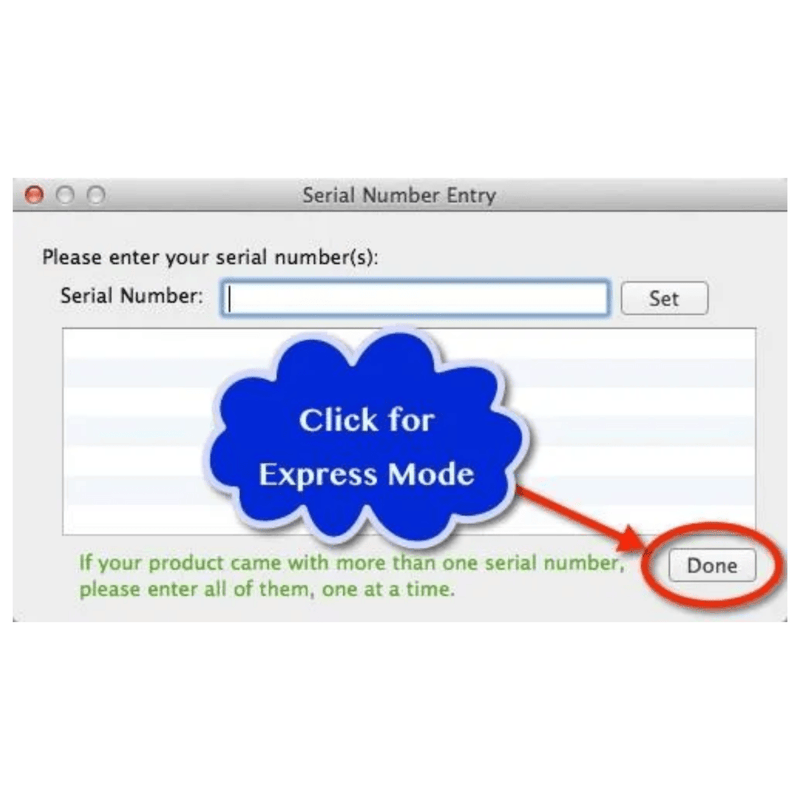
Simply download Embrilliance Express, install it on your Windows or Mac computer, and launch the software. When prompted for a serial number, leave the field blank and click "Done" to enter Express Mode. You can then open .BE files, install BX fonts, and begin creating embroidery-ready stitch files immediately.
Upgrade When You're Ready
Embrilliance Express is a free entry point into the powerful Embrilliance platform. As your embroidery needs grow, you can upgrade to popular titles like Embrilliance Essentials, Enthusiast, and StitchArtist for advanced editing, personalization, applique creation, design combination, and embroidery digitizing tools.
Download Embrilliance Express today and start working with .BE embroidery files and BX fonts completely free.