







Bambu Lab R1 Laser Vision Encoder Plate
$99.99
$99.99
New Product Launch, Estimated Shipping Late 2026
Bambu Lab R1 Vision Encoder Plate: Keep Absolute Motion Accuracy Within 0.1 mm
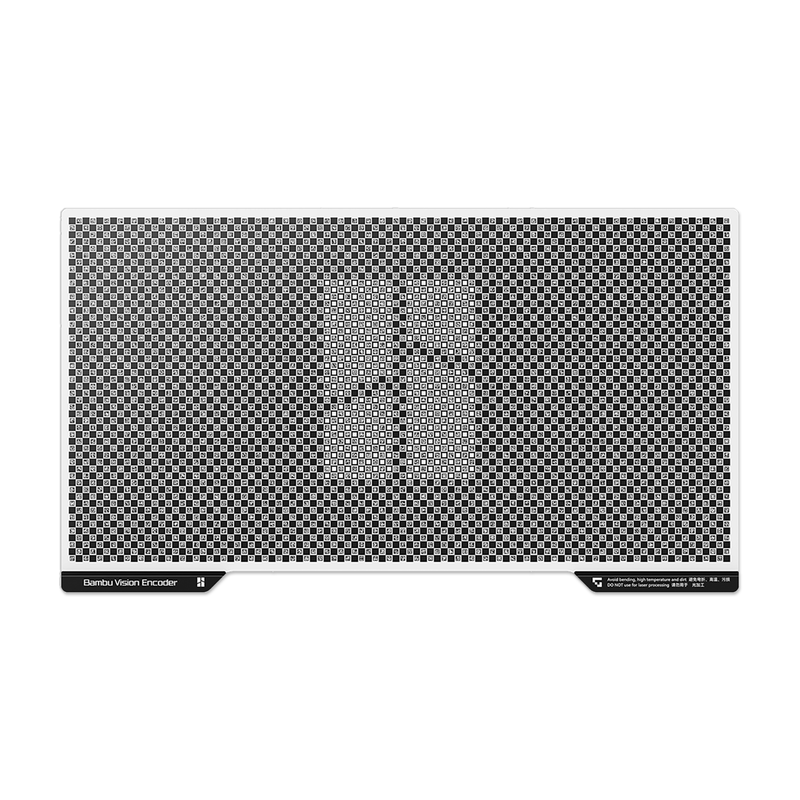
The Bambu Lab Vision Encoder for the R1 is a precision calibration plate that keeps your R1 cutting and engraving exactly where you design. Every machine's motion accuracy drifts over time from wear, vibration, relocation, and temperature changes. The Vision Encoder corrects that drift and holds absolute motion accuracy within 0.1 mm across the full work area. One quick 5-minute calibration keeps accuracy high for weeks, so a 300 mm line in your design comes out as a 300 mm cut on your material. Shop the R1 Vision Encoder and more Bambu Lab accessories at Swing Design.
Key Features
Absolute Motion Accuracy Within 0.1 mm Across the Full Work Area
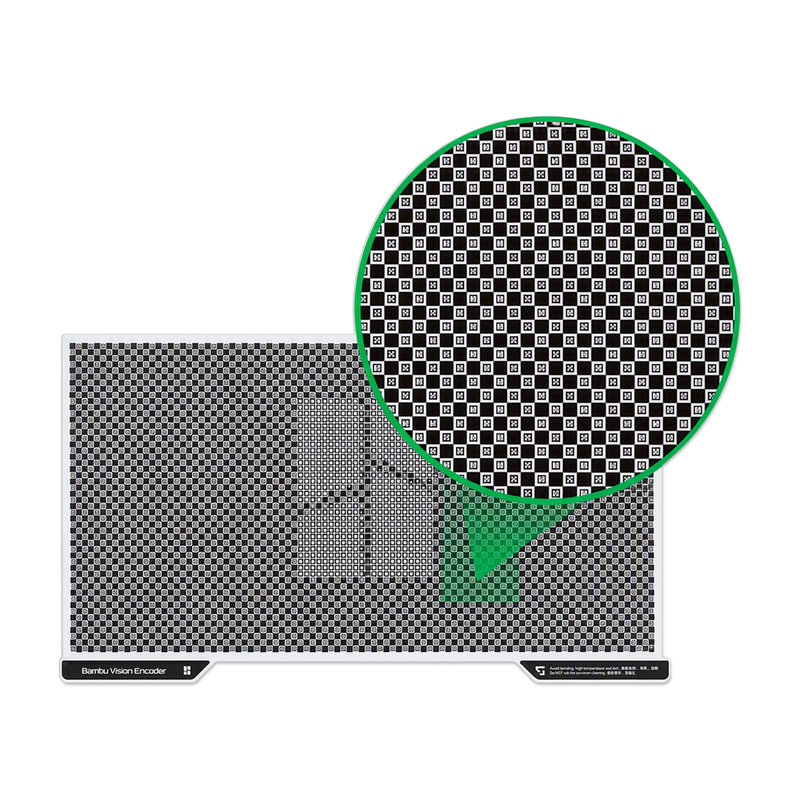
The Vision Encoder gives your R1 a precise reference grid to measure its real movement against. The result is absolute motion accuracy within 0.1 mm from corner to corner, not just near the center of the bed. That matters for large single-piece cuts, tight-fitting joints, inlays, and multi-part projects where small errors add up.
Compensates for Mechanical Drift Over Time
No motion system stays perfect forever. Mechanical wear, structural micro-deformations from vibration or moving the machine, and ambient temperature swings all slowly shift accuracy. Calibrating with the Vision Encoder measures those changes and compensates for them, so your R1 stays as accurate in month six as it was on day one.
5-Minute Calibration for Weeks-Long Accuracy
Place the plate, run the calibration, and get back to work. The process takes about five minutes and uses the R1's toolhead camera to read the encoder's grid pattern. For work that needs sustained high accuracy, Bambu Lab recommends recalibrating about every two weeks.
What's Included
- Vision Encoder (x1)
Specifications
| Specification |
Detail |
|---|---|
| Compatibility | Bambu Lab R1 |
| Materials | Metal, Plastic |
| Color | Black, White |
| Motion Accuracy | Within 0.1 mm across the full work area (absolute) |
| Calibration Time | About 5 minutes |
| Recommended Recalibration | Every two weeks for sustained high accuracy |
| Packaging Size | 658 x 400 x 65 mm |
| Packaging Weight | 1.58 kg |
How to Use the Vision Encoder
- Prep it before first use: Peel off the transparent protective film from the Vision Encoder.
- Check the camera: Make sure the R1's toolhead camera is working and the lens is clean.
- Clear the work area: Remove any debris from the bed, and make sure the encoder's surface is clean with every grid pattern clearly visible.
- Calibrate: Place the Vision Encoder in the work area and run the motion accuracy calibration.
- Remove and store it: The Vision Encoder is only for calibration. Take it out after calibrating and store it somewhere safe and flat to protect the grid surface.
Who It's For
- Bambu Lab R1 owners who want cuts and engravings that match their designs exactly
- Makers building precise joinery, inlays, puzzles, boxes, and multi-part assemblies
- Small businesses running batch production where every piece has to match
- Anyone who moves their machine, works in a shop with changing temperatures, or runs it for long hours
Frequently Asked Questions
What does the Bambu Lab R1 Vision Encoder do?
It's a calibration plate that lets the R1 measure and correct its own motion accuracy. After calibration, the R1 holds absolute motion accuracy within 0.1 mm across the full work area.
Which machines is the Vision Encoder compatible with?
This Vision Encoder is listed as compatible with the Bambu Lab R1.
Why does motion accuracy change over time?
Bambu Lab points to three main causes: ambient temperature changes, structural micro-deformations from vibration or relocation, and normal mechanical wear. The Vision Encoder compensates for all of these during calibration.
How long does calibration take?
About five minutes. One calibration helps keep motion accuracy high for weeks.
How often should I recalibrate?
For work that needs sustained high accuracy, Bambu Lab recommends recalibrating every two weeks. It's also a good idea to recalibrate after moving the machine.
Do I leave the Vision Encoder in the machine while I work?
No. It's used only for calibration. Remove it after calibrating and store it properly.
What do I need to do before the first calibration?
Remove the transparent protective film, make sure the toolhead camera lens is clean and working, clear any debris from the work area, and check that the encoder's grid patterns are clean and fully visible.
What is the Vision Encoder made of?
It's made of metal and plastic, in black and white.
Where can I buy the Bambu Lab R1 Vision Encoder?
You can order it from Swing Design at www.swingdesign.com, along with other Bambu Lab accessories and supplies for your R1.
Order the Bambu Lab R1 Vision Encoder Today
Keep every cut true to your design. With a 5-minute calibration, the Bambu Lab Vision Encoder corrects mechanical drift and holds your R1 within 0.1 mm across the whole work area for weeks at a time. Order the Bambu Lab R1 Vision Encoder from Swing Design today.