












Discover FLUX Beam Studio: The Ultimate Free Laser Cutting Software for Mac & PC
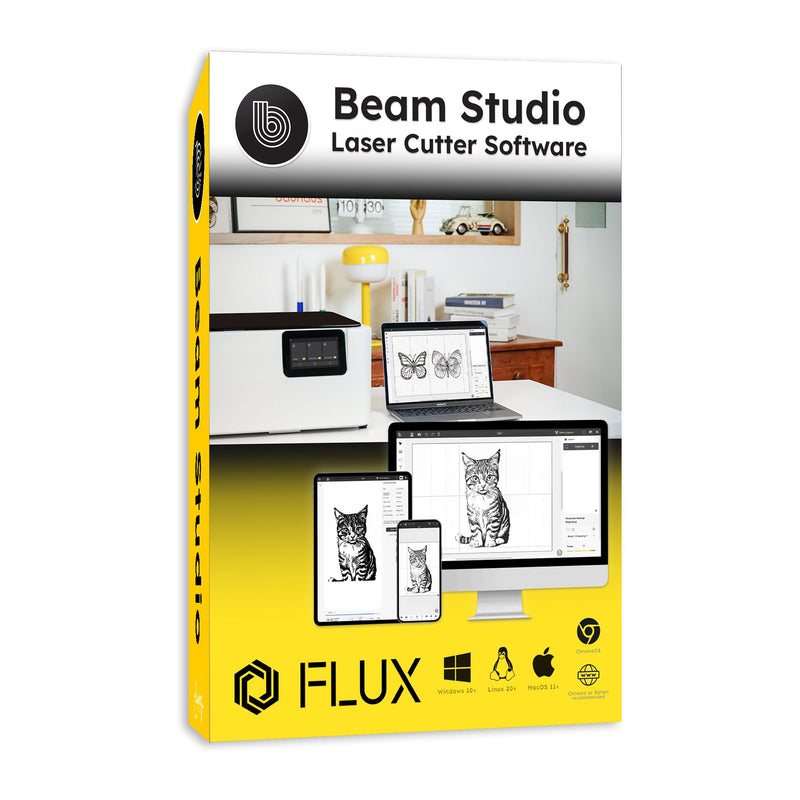
Elevate your creative projects with FLUX Beam Studio, the premier free laser cutting software designed for seamless laser engraving and cutting on Mac and PC. Whether you're a beginner hobbyist or a professional designer, this intuitive cross-platform laser software empowers you to bring ideas to life with precision and efficiency. Compatible with FLUX laser cutters like Beamo, Beambox, and HEXA, Beam Studio simplifies the entire workflow, from design to execution, making it the go-to laser engraving software for makers worldwide.
Key Features That Set Beam Studio Apart
- Intuitive Design Tools: Effortlessly trace images with one-click functionality, merge or subtract shapes, and adjust colors quickly. Create stunning vector graphics and raster engravings without complex setups.
- Multi-Layered Efficiency: Handle cutting and engraving in one go—no need to restart projects. Save time with automatic multi-pass processing for intricate designs like 3D assemblies or layered artwork.
- Smart Material Presets: Access built-in recommendations for power, speed, and passes tailored to materials like wood, acrylic, leather, and more. Customize and save your own presets for repeatable results in laser cutting projects.
- Advanced Arrangement Tools: Optimize material use with automatic image distribution and drag-and-drop placement. The built-in camera preview lets you visualize designs on-screen, while auto-align minimizes waste.
- Seamless Integrations: Fully compatible with top design programs including Adobe Illustrator, Photoshop, CorelDRAW, Inkscape, and Solidworks. Import files in JPG, PNG, SVG, DXF, and even sliced 3D models for effortless laser design software workflows.
- Collaborative Workspace: Connect multiple devices—desktops, laptops, tablets—for real-time collaboration. Access Beam Studio via browser on Chrome or Safari for on-the-go editing.
Cross-Platform Compatibility for Ultimate Flexibility
FLUX Beam Studio runs smoothly on Windows, Mac, Linux, and even tablets, ensuring you can work anywhere. No more compatibility headaches—switch between Mac laser software and PC laser engraving tools without missing a beat. Plus, with mobile support, preview and command your FLUX laser cutter from your phone or tablet.
Unlock endless possibilities in DIY laser projects, custom gifts, prototyping, and more. Download FLUX Beam Studio today for free and transform your laser cutter into a powerhouse of creativity. Visit the official FLUX site to get started and explore video tutorials for quick mastery. Your next masterpiece awaits!