










Blender 3D Creation Free Instant Software Download Windows & Mac
$0.00
$0.00
Add-ons


Bambu Lab H2C Dual Head 3D Printer with Vortek Full Expansion Kit
$3,493.92$3,099.00

Bambu Lab H2D Dual Head 3D Printer Bundle with Filament & AMS 2 PRO System
$3,049.99$2,199.00

Bambu Lab H2D Dual Head 3D Printer with 10W/40W Laser & 4 Spool AMS 2 System
$3,299.00$2,549.00
Blender 3D Creation Free Instant Software Download Windows & Mac
Add-ons
Bambu Lab H2C Dual Head 3D Printer with Vortek Full Expansion Kit
$3,493.92$3,099.00
Bambu Lab H2D Dual Head 3D Printer Bundle with Filament & AMS 2 PRO System
$3,049.99$2,199.00
Bambu Lab H2D Dual Head 3D Printer with 10W/40W Laser & 4 Spool AMS 2 System
$3,299.00$2,549.00
Free Software Never Looked This Awesome
Bring your 3D printing ideas to life with Blender — the powerful free and open-source 3D creation suite trusted by makers, designers, hobbyists, and professional studios worldwide. Whether you’re designing functional parts, custom models, cosplay props, miniatures, or artistic creations for your Bambu Lab, Creality, and other 3D printers, Blender provides the tools you need to create high-quality printable models from start to finish.
Blender supports the entire 3D workflow, including modeling, sculpting, rendering, animation, simulation, compositing, and more — all in one streamlined application. Its advanced modeling and sculpting tools make it ideal for preparing STL and OBJ files for 3D printing, while precision editing features help you fine-tune designs before slicing and printing.
Designed for 3D Printing
Blender is a favorite among 3D printing enthusiasts because of its flexibility, precision, and professional-grade toolset. Create highly detailed printable objects, edit meshes, repair geometry, sculpt organic models, and prepare custom designs for production on desktop 3D printers.
Perfectly compatible with Bambu Labs, Creality and more!
Key 3D Printing Features
- Advanced 3D modeling and mesh editing tools
- Digital sculpting for organic and artistic designs
- Precision scaling and transformation controls
- STL, OBJ, and other common 3D printing file export formats
- Ideal for prototypes, cosplay, miniatures, functional parts, and custom creations
- Compatible with popular slicers and 3D printer ecosystems
- Excellent workflow for Bambu Lab, Creality, and many other printer brands
- Fully customizable interface and workflow tools
- Portable software that can run without installation
Powerful Modeling & Sculpting Tools
Blender’s comprehensive modeling toolset allows you to create, transform, sculpt, and edit with ease. Polygon modeling, retopology, curves, and digital sculpting tools work seamlessly together, making it simple to move from concept design to a finished printable model.
The sculpting workflow is especially powerful for creators designing characters, terrain, collectibles, and detailed artistic prints. Blender’s side-by-side sculpting and polygon modeling systems help accelerate both creative exploration and production-ready model creation.
Stunning Rendering & Visualization
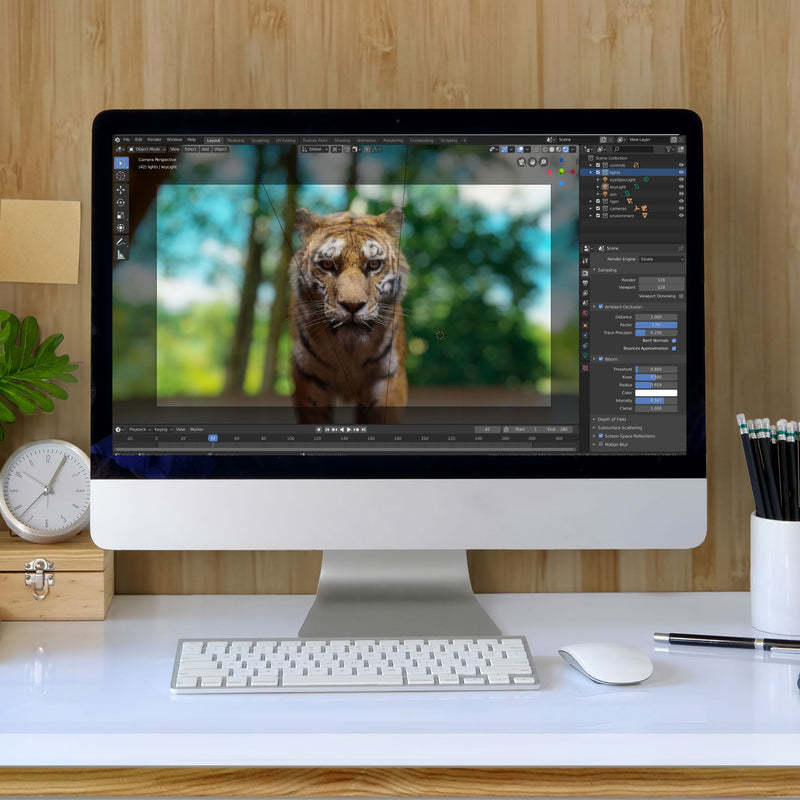
Blender includes the advanced Cycles rendering engine, capable of producing stunning ultra-realistic renders of your 3D models. Create professional product previews, showcase finished designs, and generate promotional visuals before printing.
More Than Just 3D Printing
While Blender excels for 3D printing workflows, it also includes a massive range of creative tools for other digital projects:
- Animation & rigging
- Visual effects and compositing
- Motion tracking
- Simulation tools
- Video editing
- Storyboarding and Grease Pencil drawing
- Python scripting and customization
- Game asset creation
- Fully customizable interface and shortcuts
Instant Digital Download
- Free software download
- Instant access after purchase
- Compatible with Windows and Mac systems
- No ongoing subscription required
System Requirements
Windows Minimum Requirements
- Windows 8.1 (64-bit)
- 4-core CPU with SSE4.2 support
- 8 GB RAM
- GPU with 2 GB VRAM supporting OpenGL 4.3 / Vulkan 1.3
Mac Minimum Requirements
- macOS 13 Ventura
- Apple Silicon processor
- 8 GB RAM
Additional Notes:
- A minimum display resolution of 1920×1080 is recommended
- Three-button mouse recommended for optimal workflow
- Pen tablets and displays supported for sculpting and drawing tasks
For complete compatibility details and full hardware requirements, visit:
Blender System Requirements PDF
Take Another Look
Your Cart 0